
Estimate your LESCO, MEPCO, IESCO or K-Electric bill, track meter readings and get warned before 200 units. Offline, English and Urdu.
v1.0.1 · 3.6 MB · Android 7.0+View app
Tip, tax and bill splitting for US restaurants, in one screen
Free · Contains ads · No account · Version 1.0.0
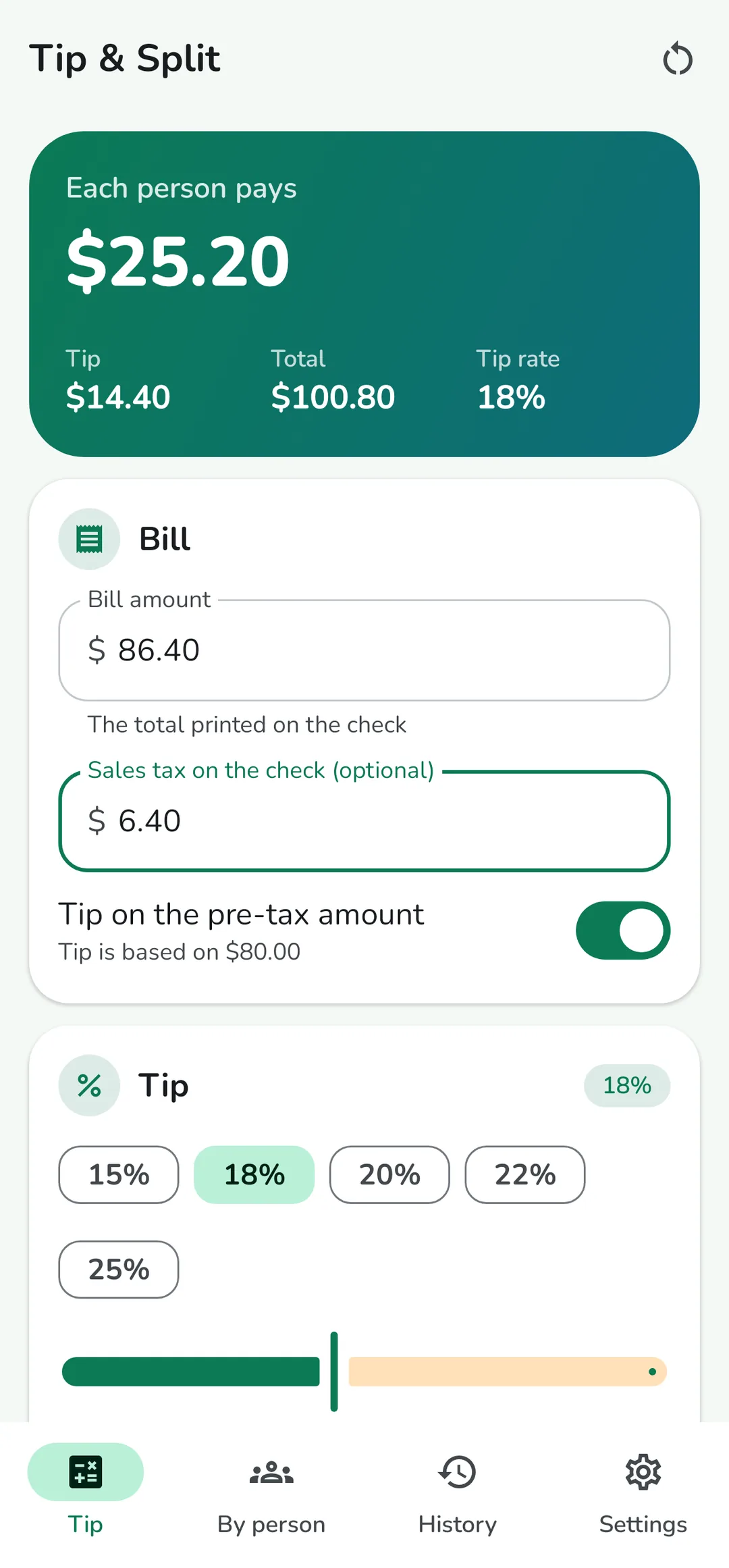
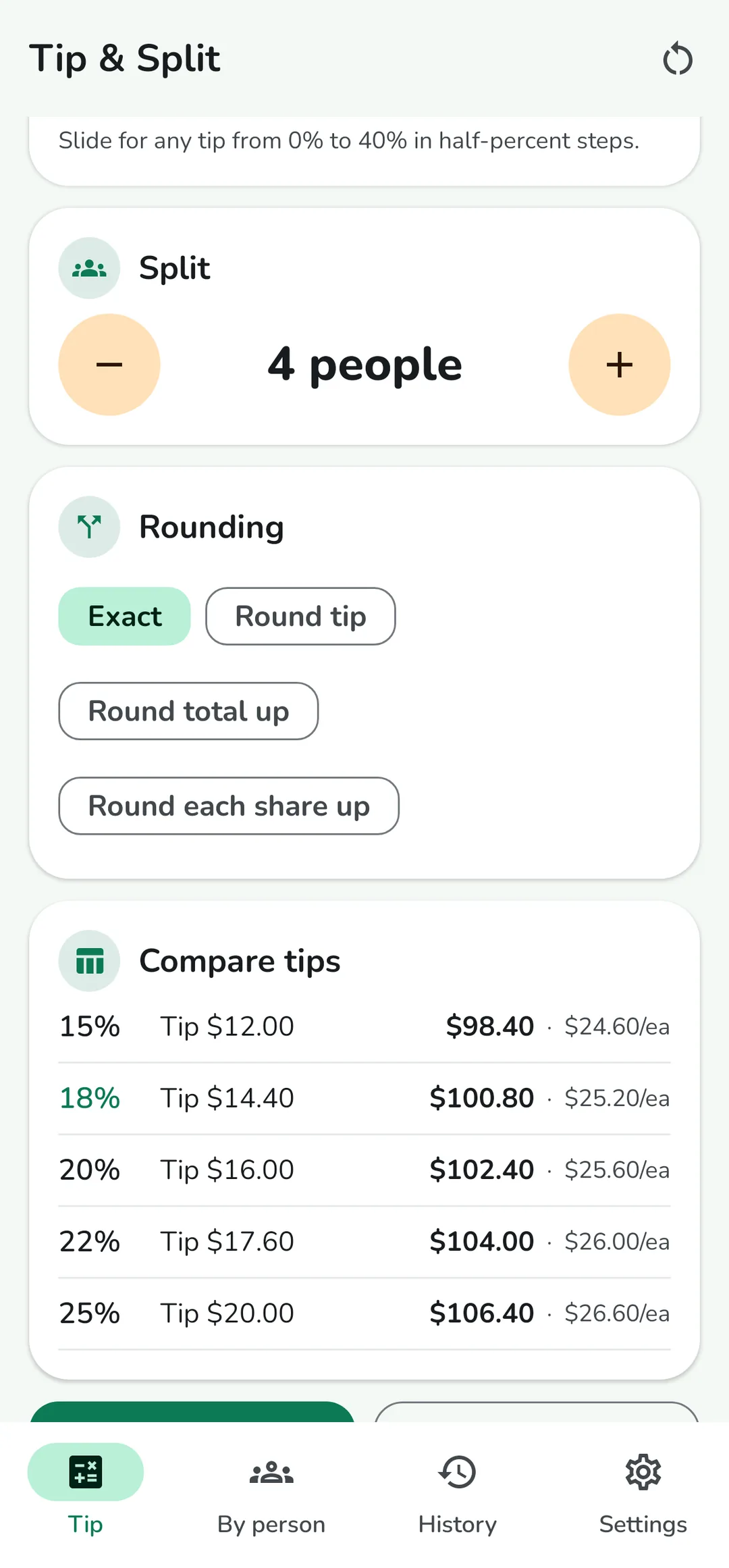
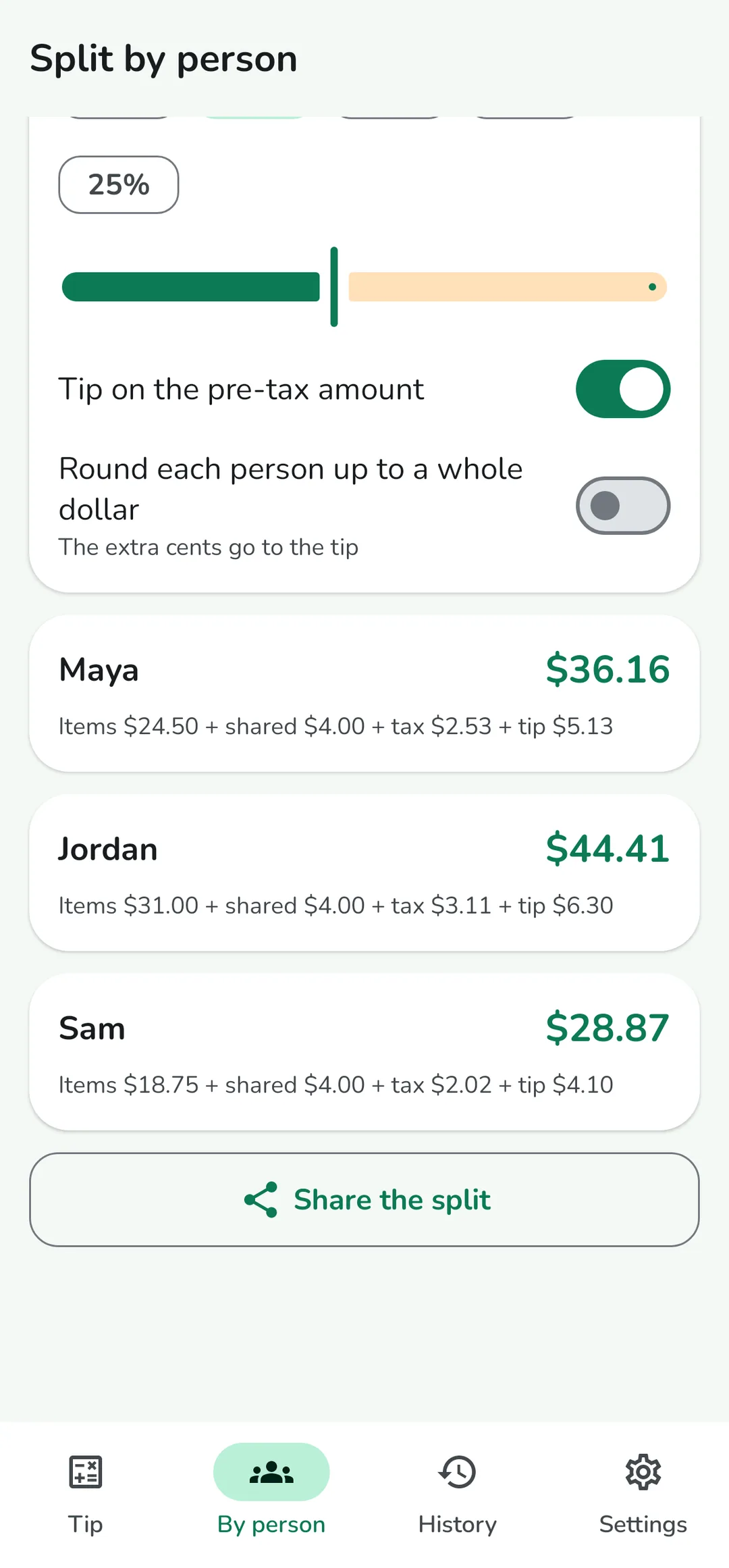
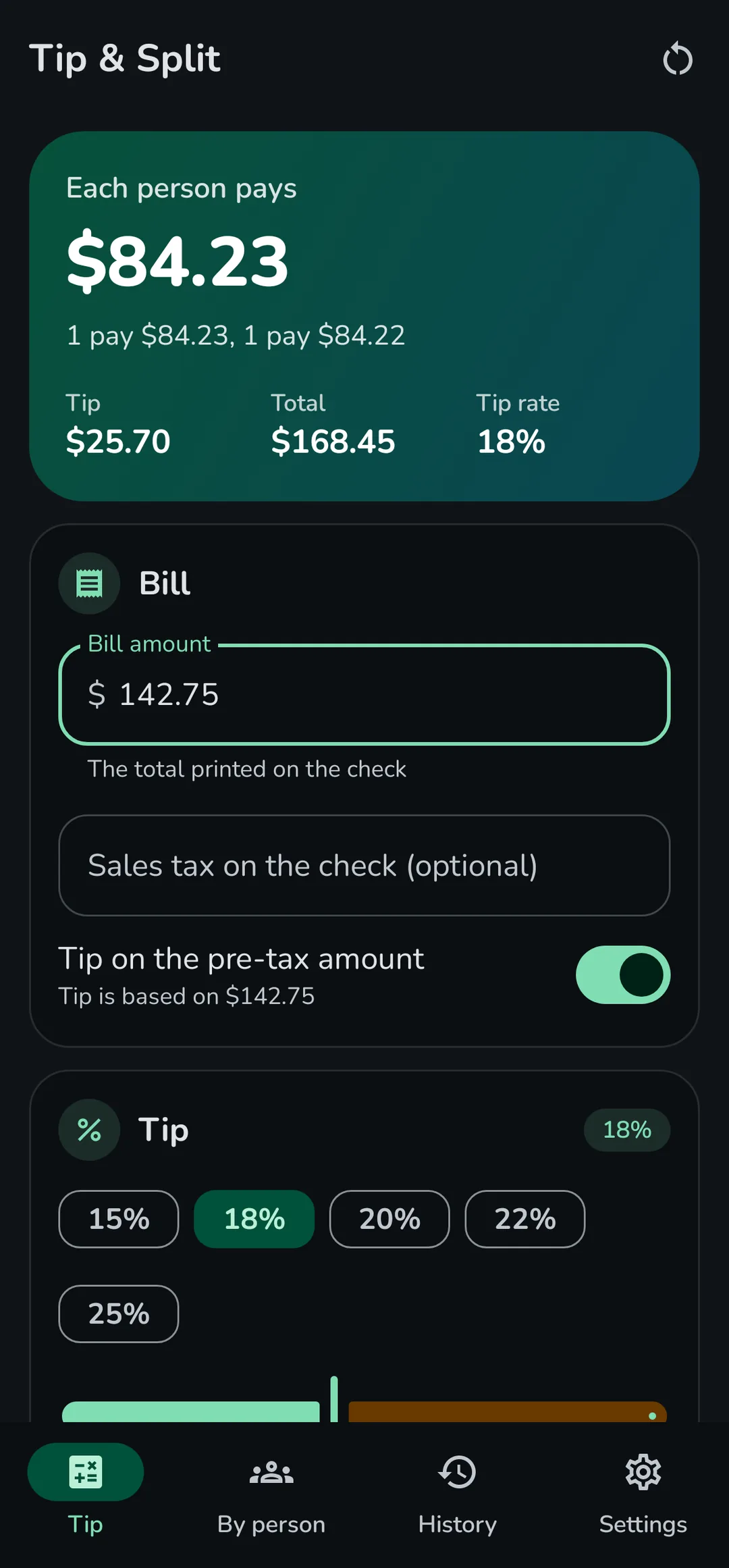
Tip & Split is a fast tip calculator and bill splitter made for eating out in the US. Type the amount on the check, pick 15%, 18%, 20%, 22% or 25% (or slide to any tip), and see the tip, the total and what each person pays right away.
Many people tip on the amount before sales tax. Enter the tax from your receipt and the app tips on the pre-tax amount for you, or switch it off to tip on the full bill. Round the tip, round the total up to a whole dollar, or round each person's share up so nobody has to deal with coins. When a total doesn't divide evenly, the app tells you exactly who pays the extra cent.
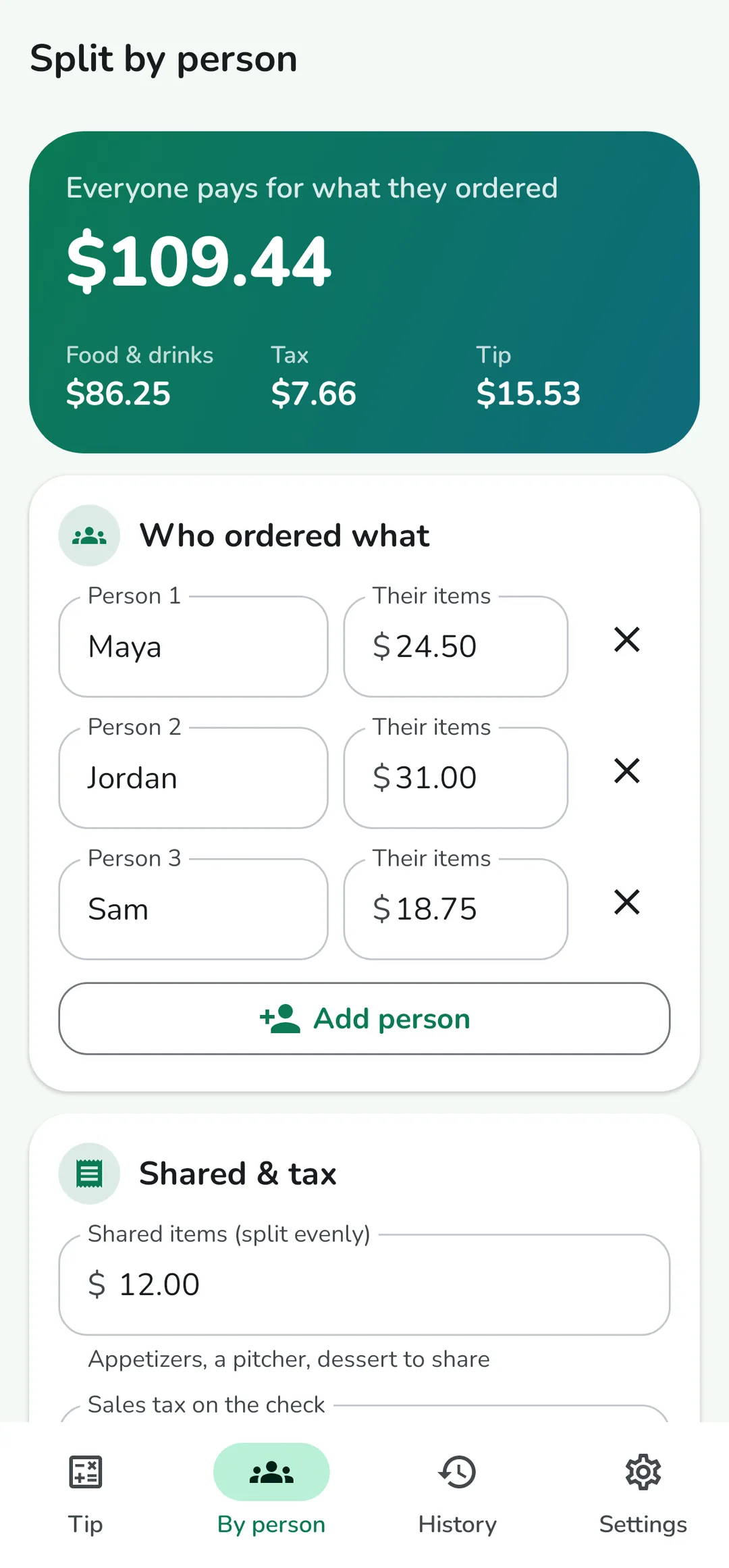
Ordered different things? Split by person: enter what each person had, add shared appetizers or a pitcher that everyone splits evenly, and the tax and tip are shared fairly in proportion to each order. Send the split to your group with one tap.
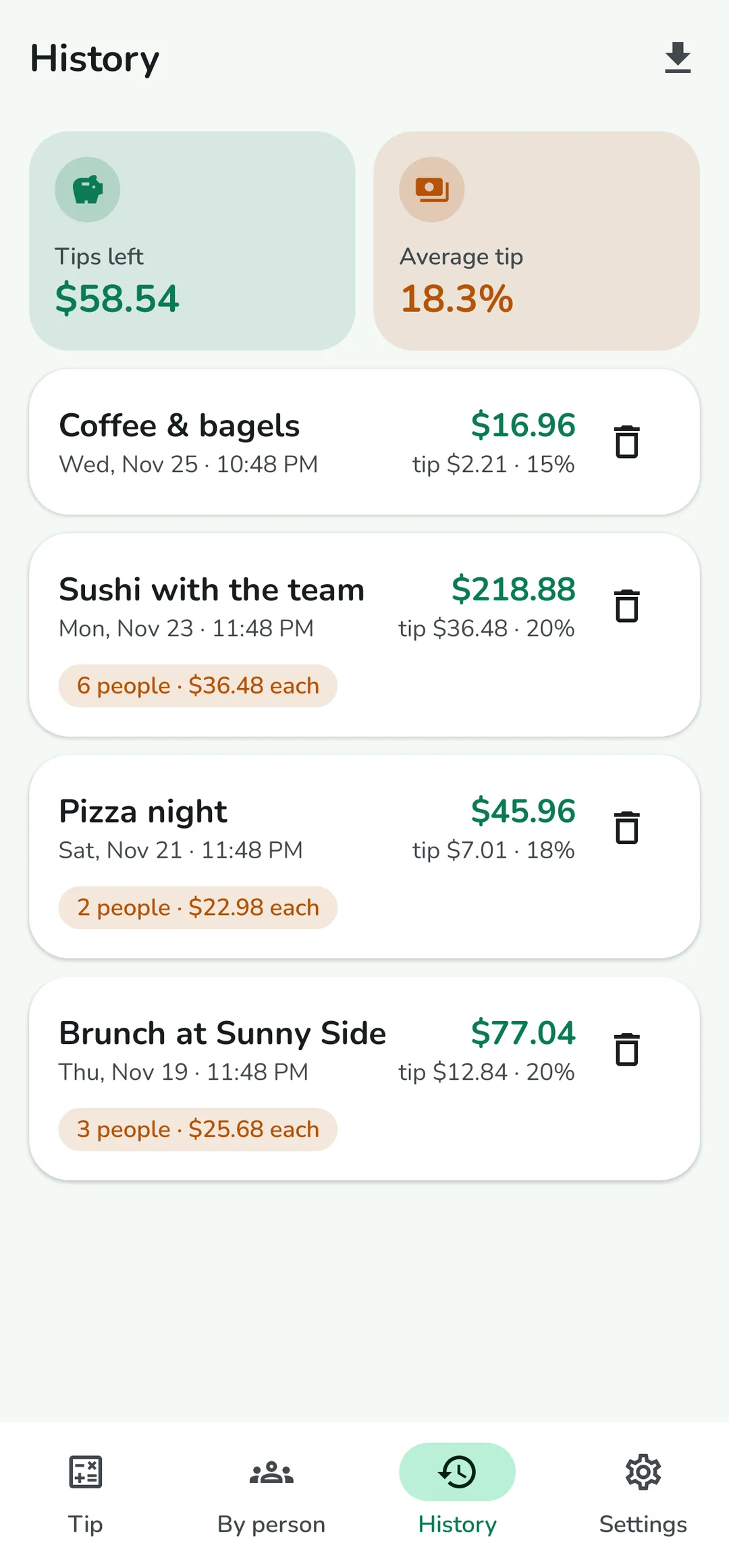
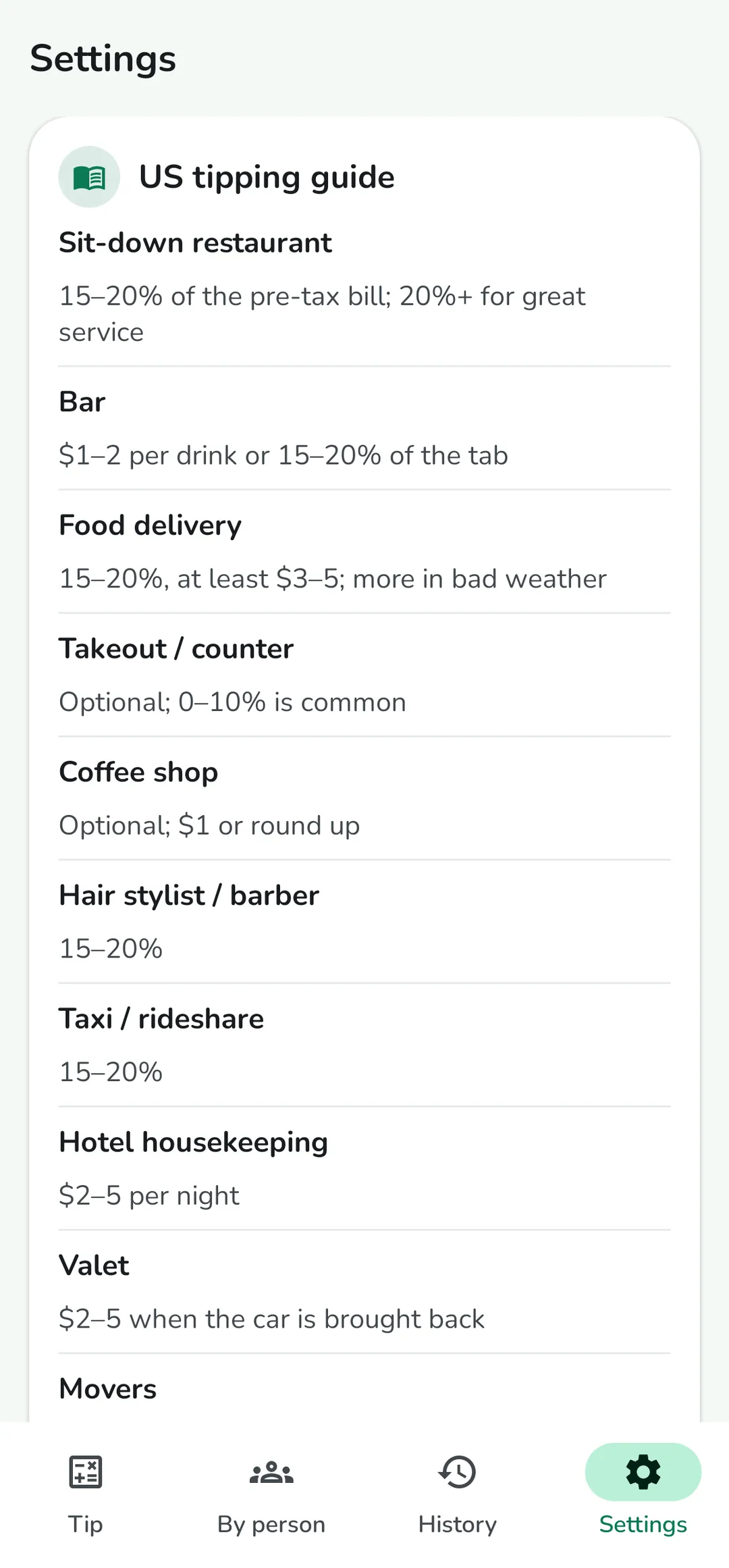
Save bills to your history to keep track of what you tipped, then export the history as a CSV file. A built-in US tipping guide covers restaurants, bars, delivery, salons, rideshare, hotels and more.
Everything runs on your phone with no account. The app is free and shows ads from Google AdMob, with a consent form where the law requires one. Ads need internet; without it the calculator works normally, just without ads.
Check that the file you downloaded matches this SHA-256 checksum:
dac4917a66c5501a55eecc207e9cf964f897cc820d810931dda95e855d8bcba3Linux: sha256sum tip-split-v1.0.apk
macOS: shasum -a 256 tip-split-v1.0.apk
Windows: certutil -hashfile tip-split-v1.0.apk SHA256
Signing certificate (SHA-256):
6004053a4c35f104cde9c69d1d457cb04d924fee570fe9ee017a83cf91589be4Every update is signed with this same certificate, so Android will refuse an update that was modified by anyone else.
Tip & Split Calculator works offline. Your records stay on your phone and are never uploaded. There is no account and no analytics. The app is free because it shows ads from Google AdMob. Ads use the internet when it is available; Google may receive device and network information (such as IP address) to show and measure ads, and where the law requires it the app asks for your consent first. The app does not request the Android advertising ID. You can change your choice in the app under Privacy & ad choices. Any backup or export is a file you create and keep yourself. Read the full apps privacy policy.
Yes. It is free to download and use and shows ads from Google AdMob. There are no in-app purchases.
Many people in the US tip on the pre-tax amount. Enter the tax from your receipt and leave "Tip on the pre-tax amount" on; turn it off to tip on the full bill.
Shared items are split evenly. Tax and tip are shared in proportion to what each person ordered, so the shares always add up to the full bill to the cent.
No. The calculator works fully offline. Internet is only used to show ads.
Only on your phone. Nothing is uploaded. You can export it as a CSV file or clear it in Settings.
Tap Download APK on this page, open the downloaded file and tap Install. If Android asks, allow your browser to install unknown apps for this install. It needs Android 7.0 or newer.
Estimate your LESCO, MEPCO, IESCO or K-Electric bill, track meter readings and get warned before 200 units. Offline, English and Urdu.

Manage a committee / BC / kameti (ROSCA): members, shares, monthly payments, payout turns, draw lots and WhatsApp reminders. Offline, no account.

Record daily expenses and income by category, set a monthly budget, see charts and export CSV. Offline, English and Urdu.
I build offline-first Android, iOS and web apps, in English and Urdu if you need it.