Estimate your LESCO, MEPCO, IESCO or K-Electric bill, track meter readings and get warned before 200 units. Offline, English and Urdu.
v1.0.1 · 3.6 MB · Android 7.0+View app
خرچ کا حساب
Track daily spending and income with a monthly budget, charts and CSV export
Free · Contains ads · No account · Version 1.0.0
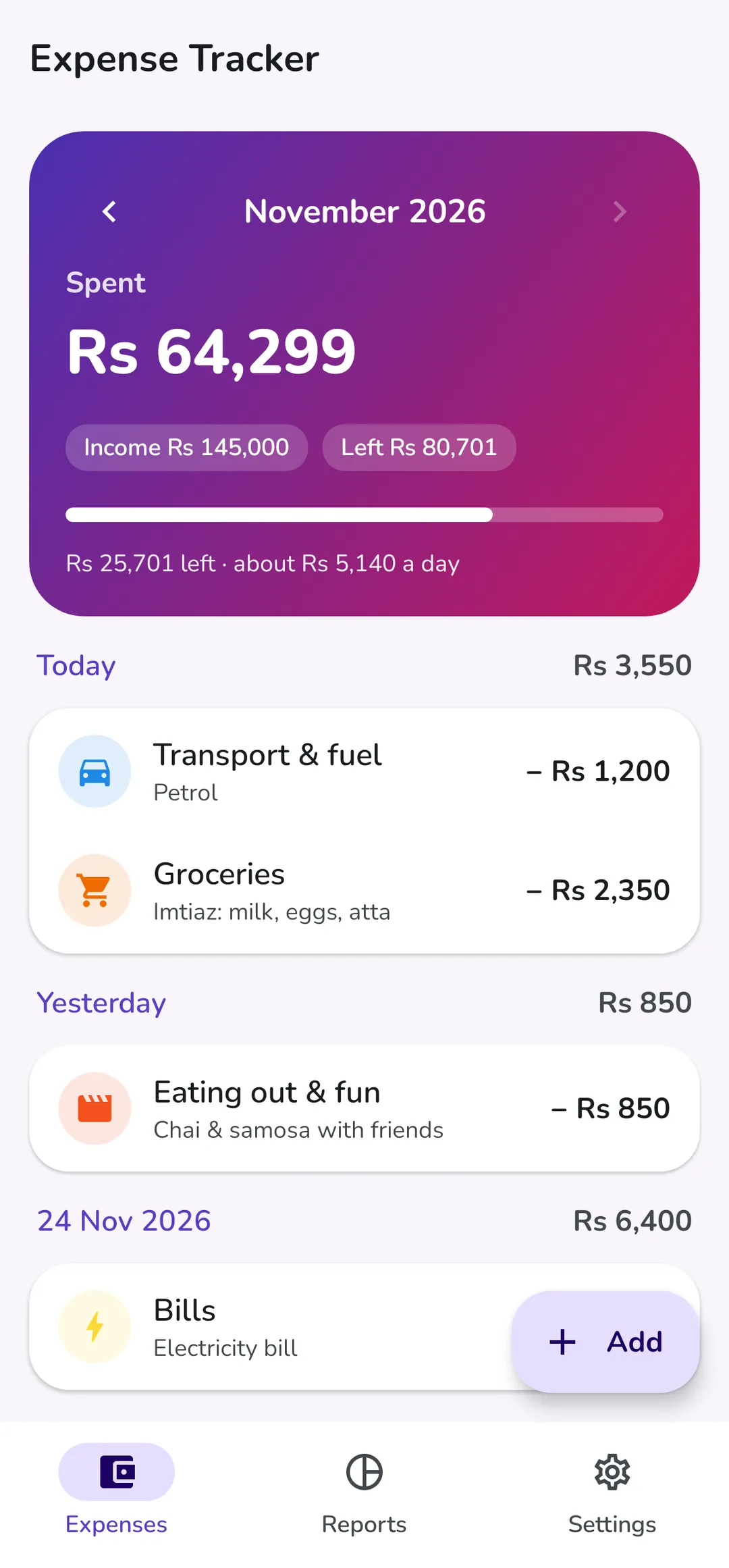
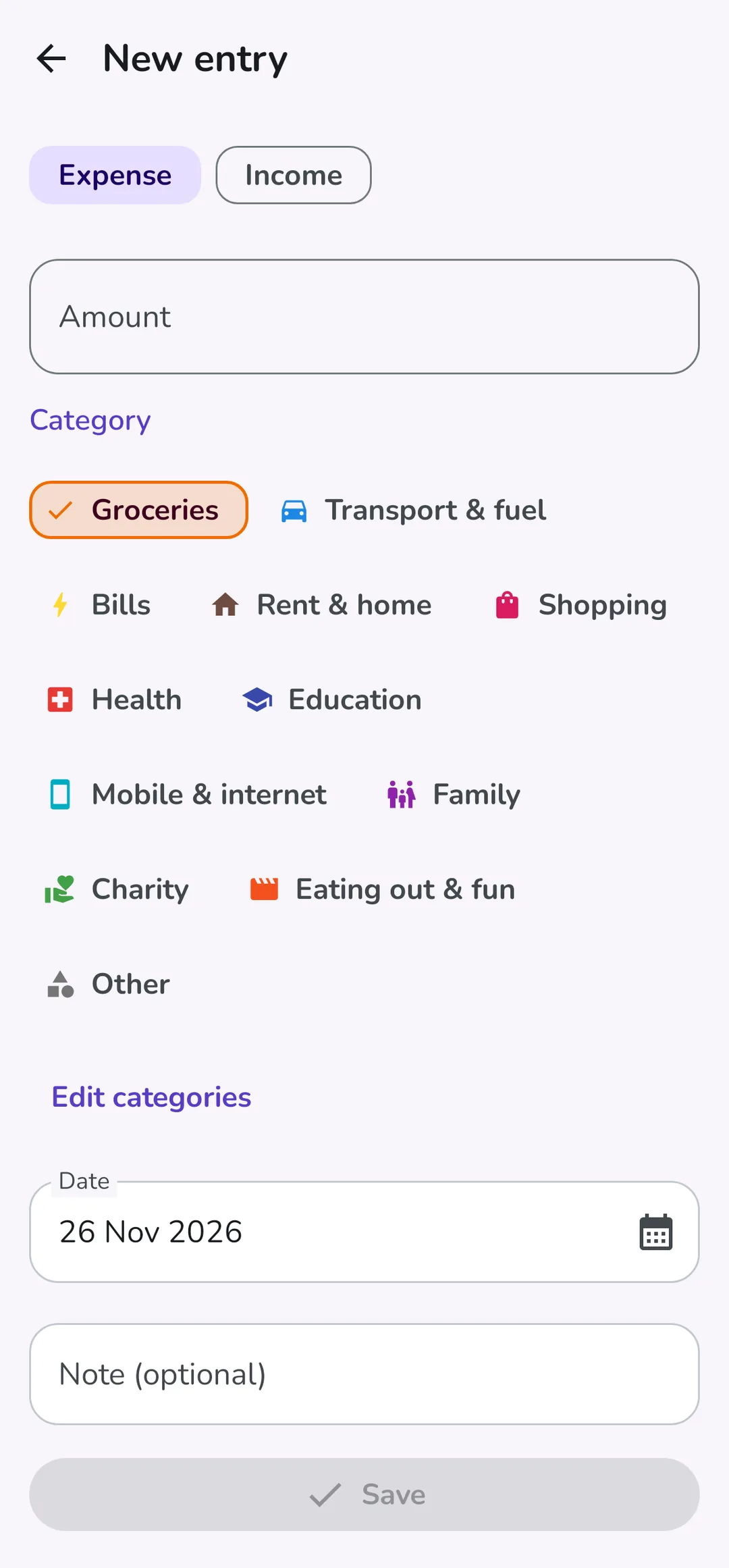
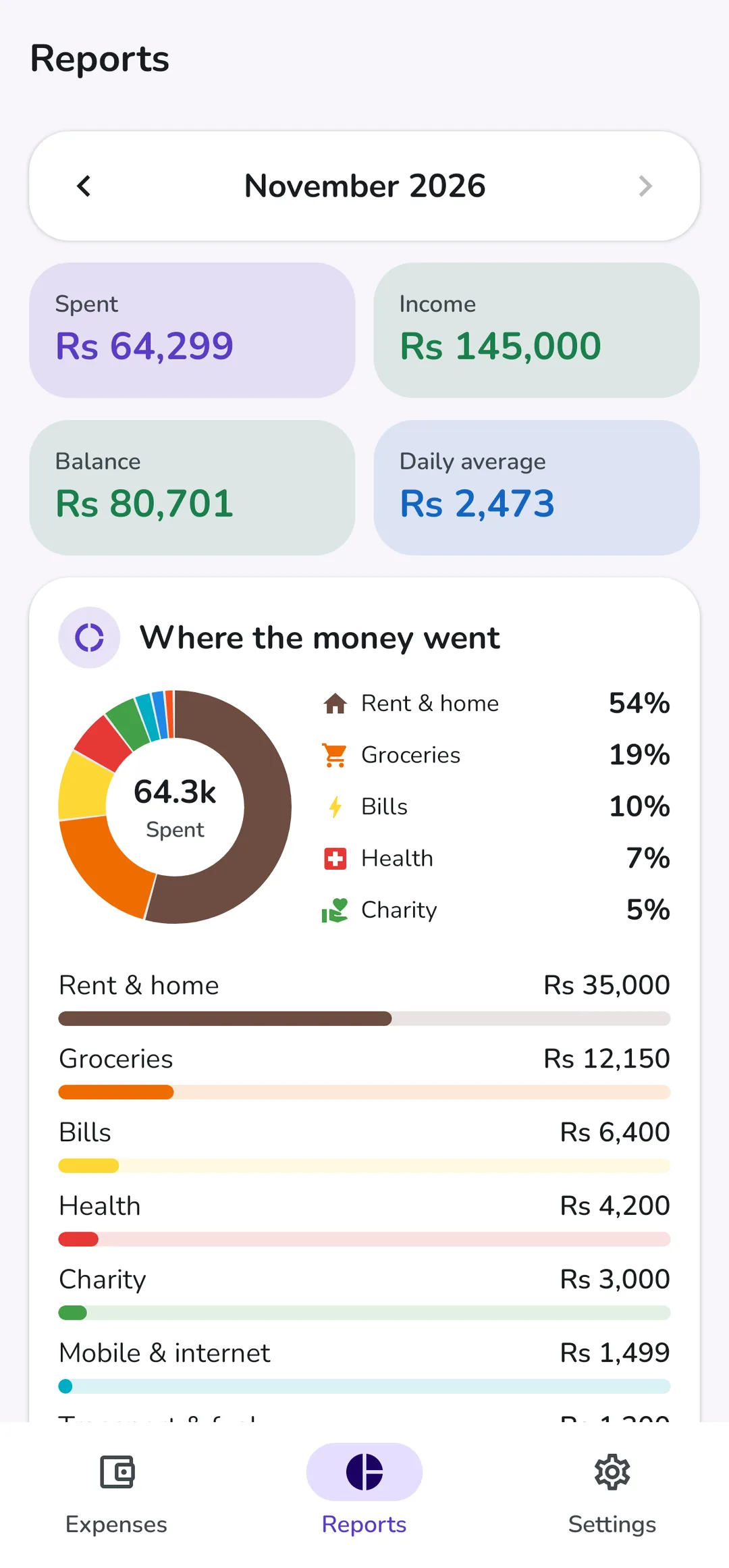
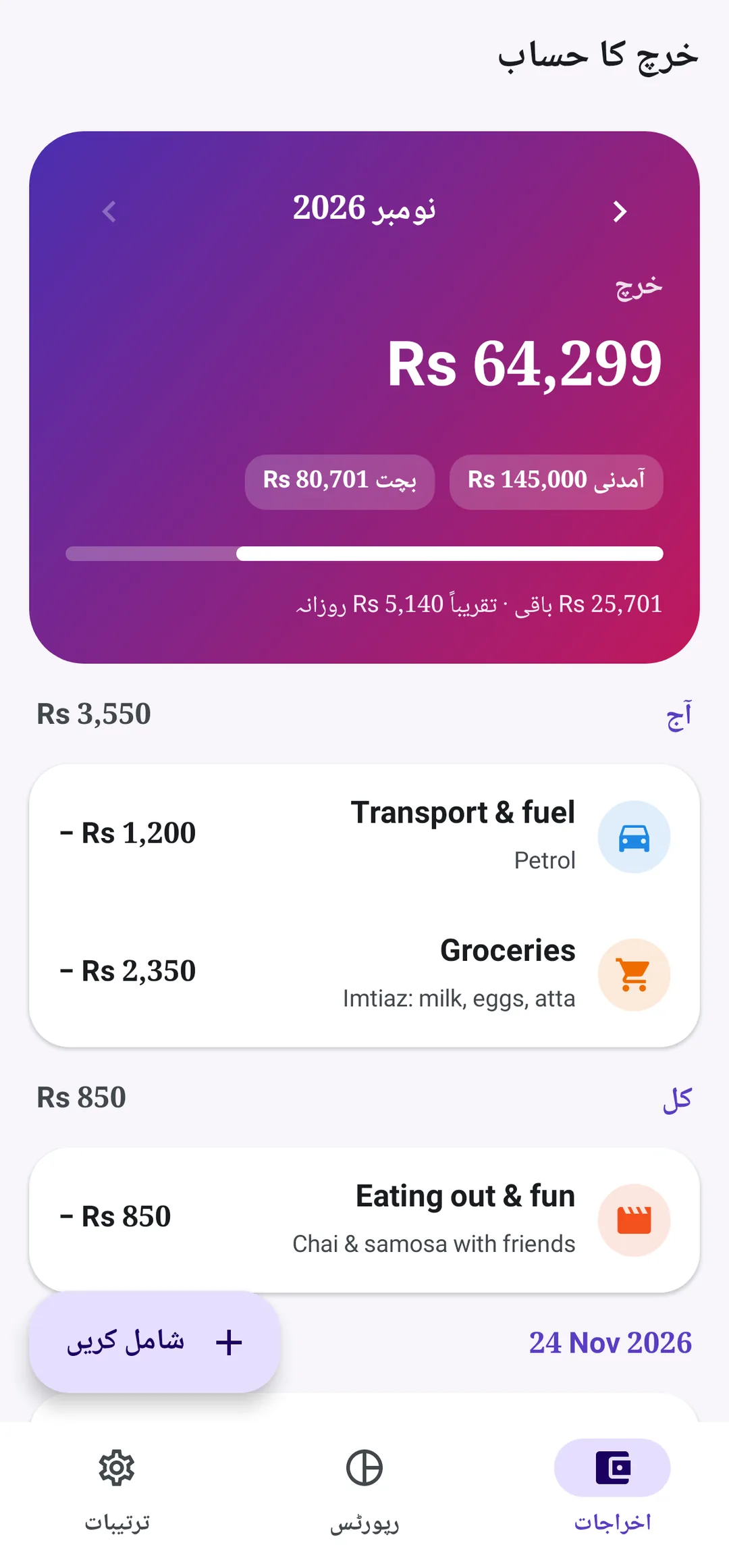
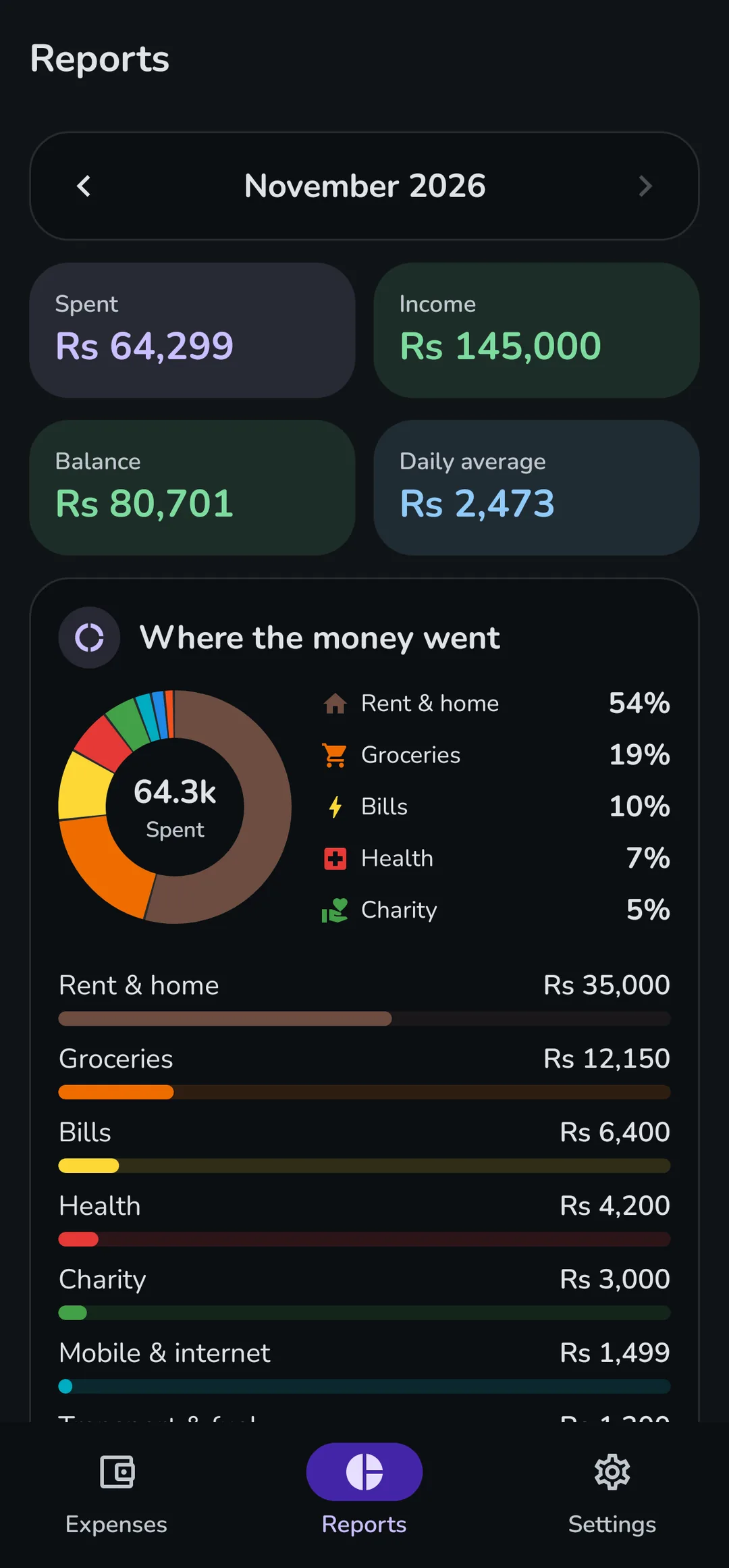
Expense Tracker is a simple way to see where your money goes each month. Tap Add, type the amount, pick a category and save. The home screen shows what you have spent this month, your income and what is left.
Set a monthly budget and the app shows how much of it remains and roughly how much you can spend per day for the rest of the month. Entries are grouped by day with notes, so you can find that grocery bill or petrol fill-up quickly.
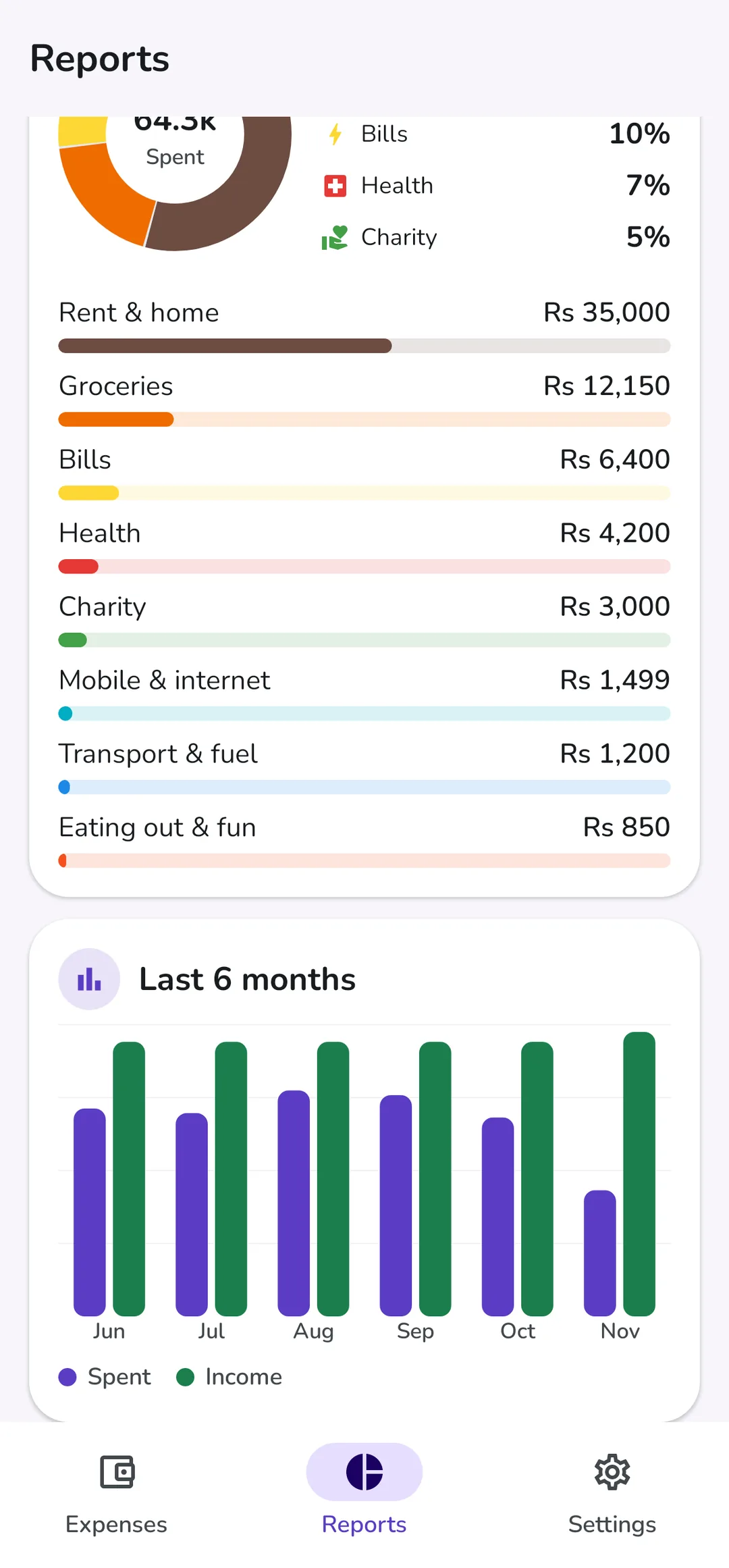
Reports show spending by category as a chart with percentages, a six-month comparison of spending and income, and your daily average. Export any month to a CSV file to open in Excel or Google Sheets.
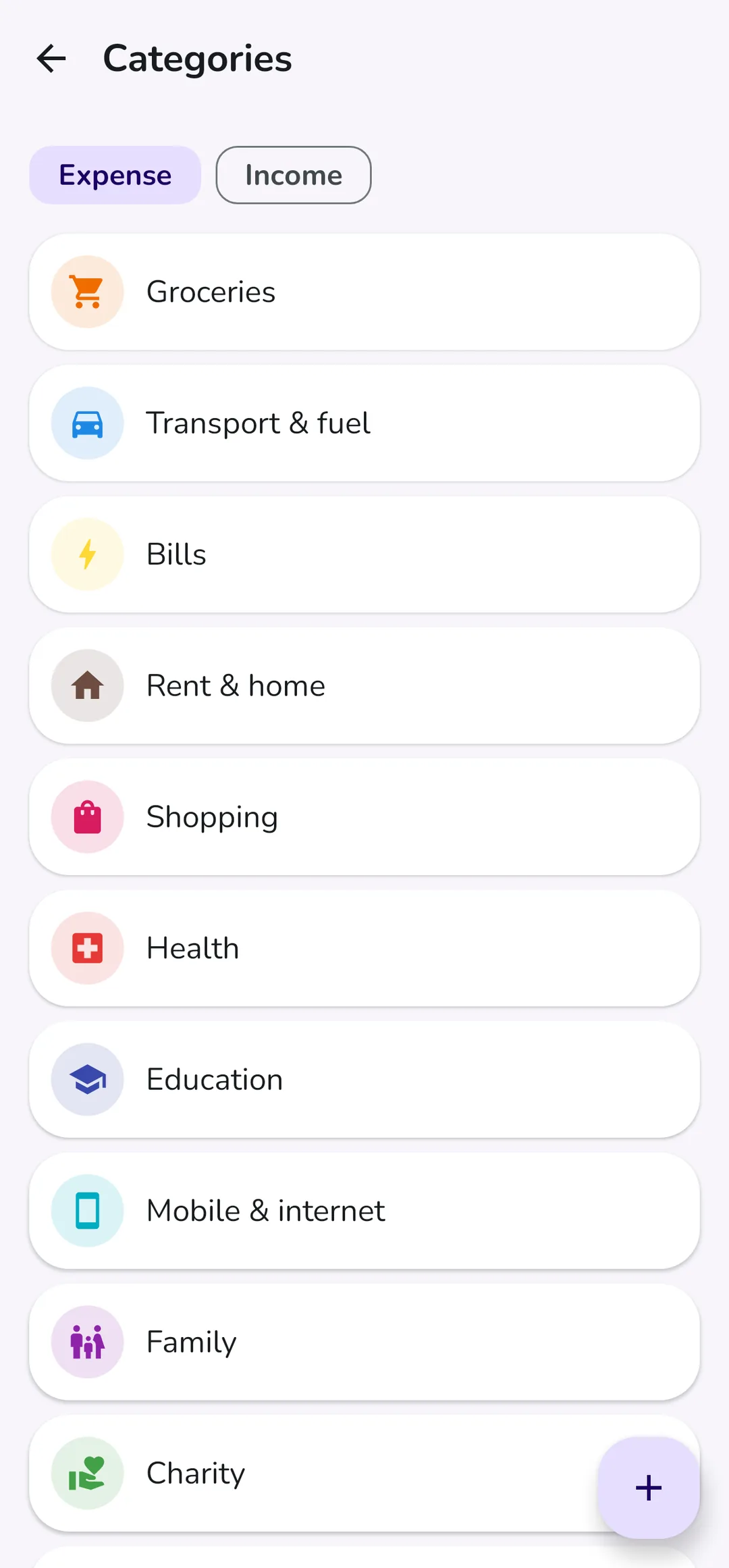
Categories such as groceries, bills, rent, transport, mobile, health, education, family and charity are ready to use, and you can rename, recolour or add your own. Choose your currency symbol: Rs, ₹, ৳, $, £, €, AED, SAR or RM.
Everything stays on your phone and works offline, with no account. Save a backup file to Google Drive, WhatsApp or a USB stick yourself. The app is free and shows ads from Google AdMob, with a consent form where the law requires one. Ads need internet; without it the app works normally, just without ads.
Check that the file you downloaded matches this SHA-256 checksum:
a5791bdd2b4df2eb219d55c3ae6475579bc678dc43d5efa3c54573a726ba7145Linux: sha256sum expense-tracker-v1.0.apk
macOS: shasum -a 256 expense-tracker-v1.0.apk
Windows: certutil -hashfile expense-tracker-v1.0.apk SHA256
Signing certificate (SHA-256):
13e0b5c1f4ea664593aa1406e0db95097553fad58487ab310047358e168cdcfdEvery update is signed with this same certificate, so Android will refuse an update that was modified by anyone else.
Expense Tracker works offline. Your records stay on your phone and are never uploaded. There is no account and no analytics. The app is free because it shows ads from Google AdMob. Ads use the internet when it is available; Google may receive device and network information (such as IP address) to show and measure ads, and where the law requires it the app asks for your consent first. The app does not request the Android advertising ID. You can change your choice in the app under Privacy & ad choices. Any backup or export is a file you create and keep yourself. Read the full apps privacy policy.
No. Entries are stored only on your phone. Backups and CSV exports are files you create and keep yourself.
Yes. Every feature works offline. Internet is only used to show ads.
Yes. Reports → Export CSV creates a file for the month you are viewing that opens in Excel or Google Sheets.
They move to your "Other" category (the confirmation names it), so nothing is lost.
Yes. It is free and shows ads from Google AdMob. There are no in-app purchases.
Tap Download APK on this page, open the downloaded file and tap Install. If Android asks, allow your browser to install unknown apps for this install. It needs Android 7.0 or newer.
Estimate your LESCO, MEPCO, IESCO or K-Electric bill, track meter readings and get warned before 200 units. Offline, English and Urdu.
Manage a committee / BC / kameti (ROSCA): members, shares, monthly payments, payout turns, draw lots and WhatsApp reminders. Offline, no account.
Work out the petrol cost of a trip in PKR, split it between passengers, and log fill-ups to see your car's real km per liter and cost per km. Offline.
I build offline-first Android, iOS and web apps, in English and Urdu if you need it.