Estimate your LESCO, MEPCO, IESCO or K-Electric bill, track meter readings and get warned before 200 units. Offline, English and Urdu.
v1.0.1 · 3.6 MB · Android 7.0+View app
کیو آر ٹول کٹ
Scan any QR code or barcode and make your own QR codes, offline and private
Free · Contains ads · No account · Version 1.0.0
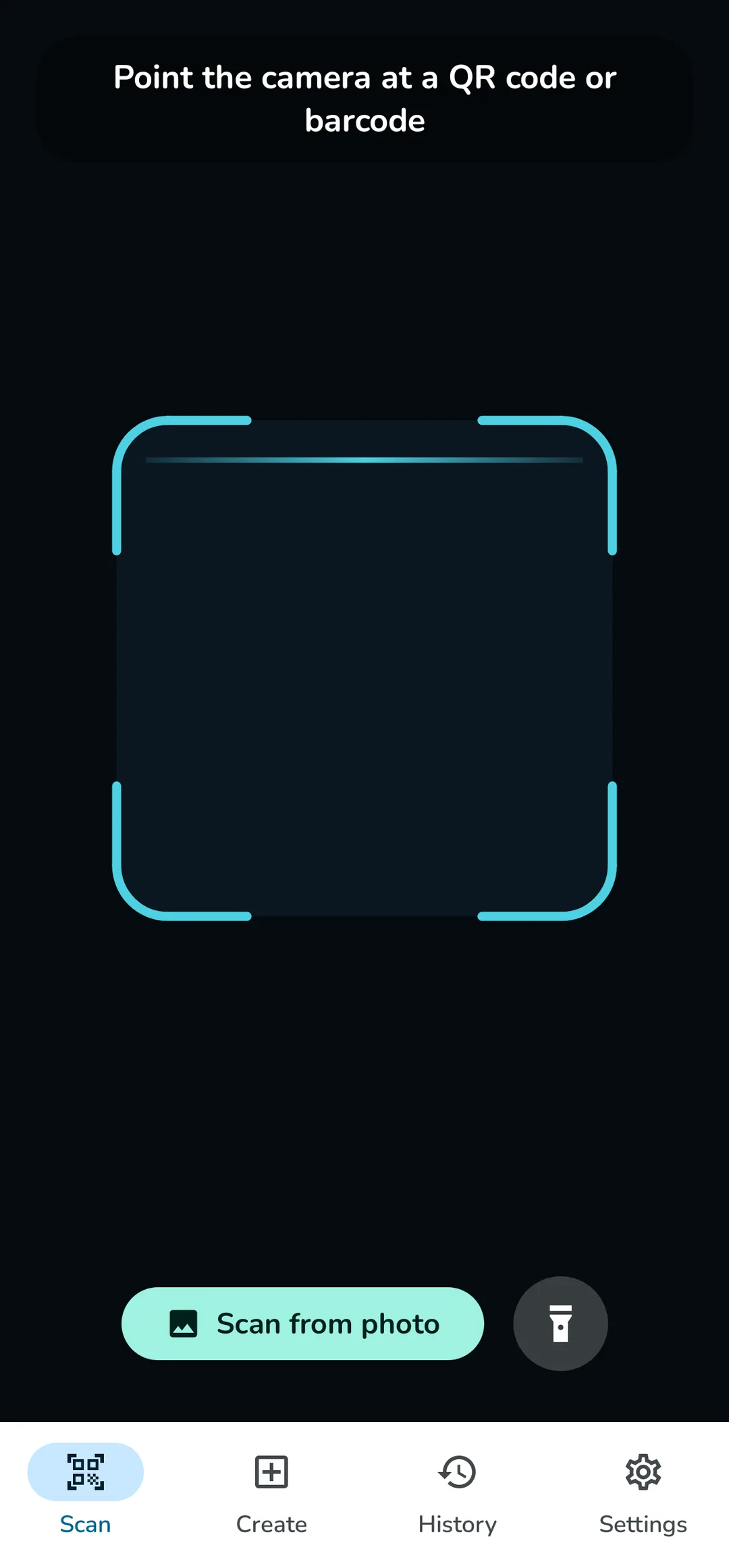
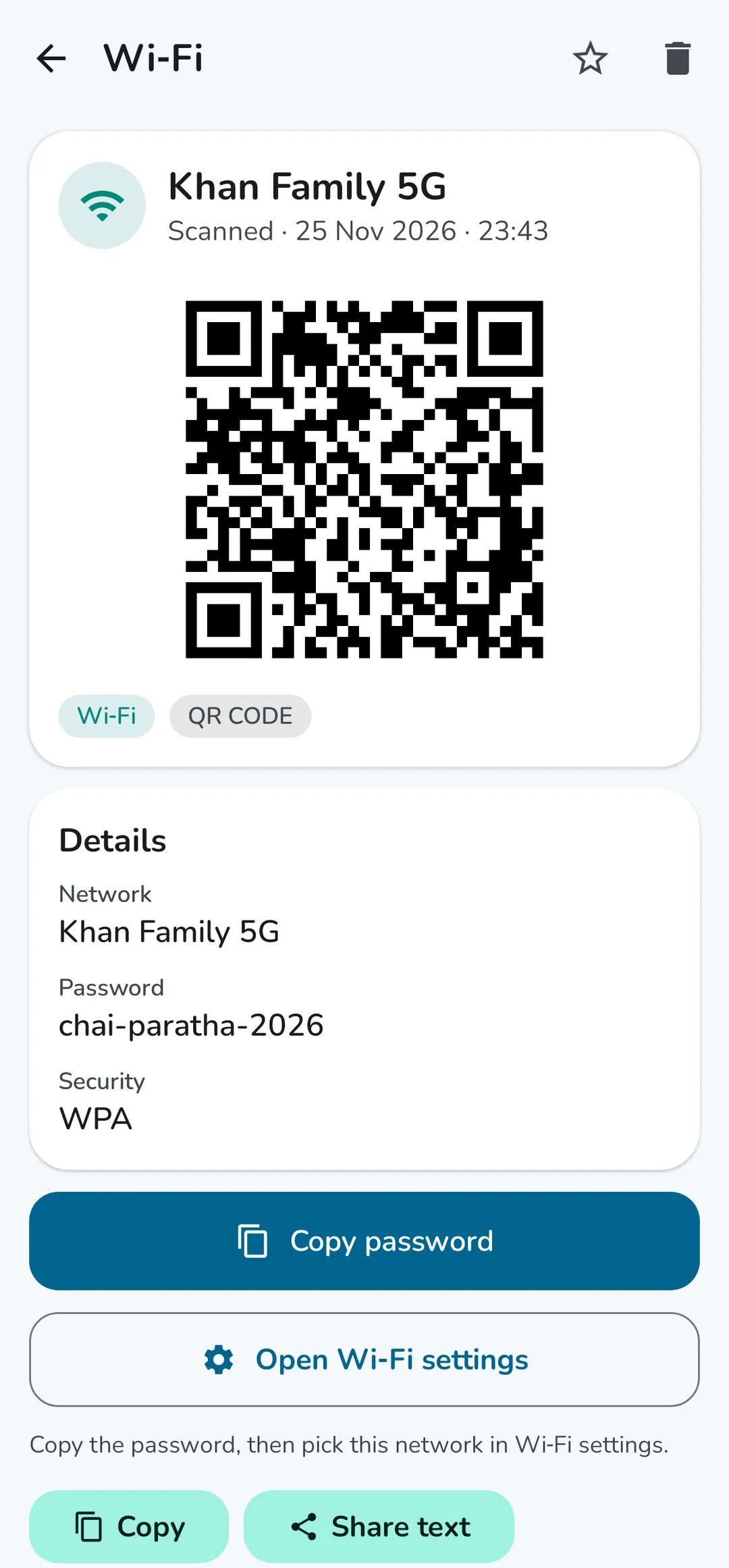
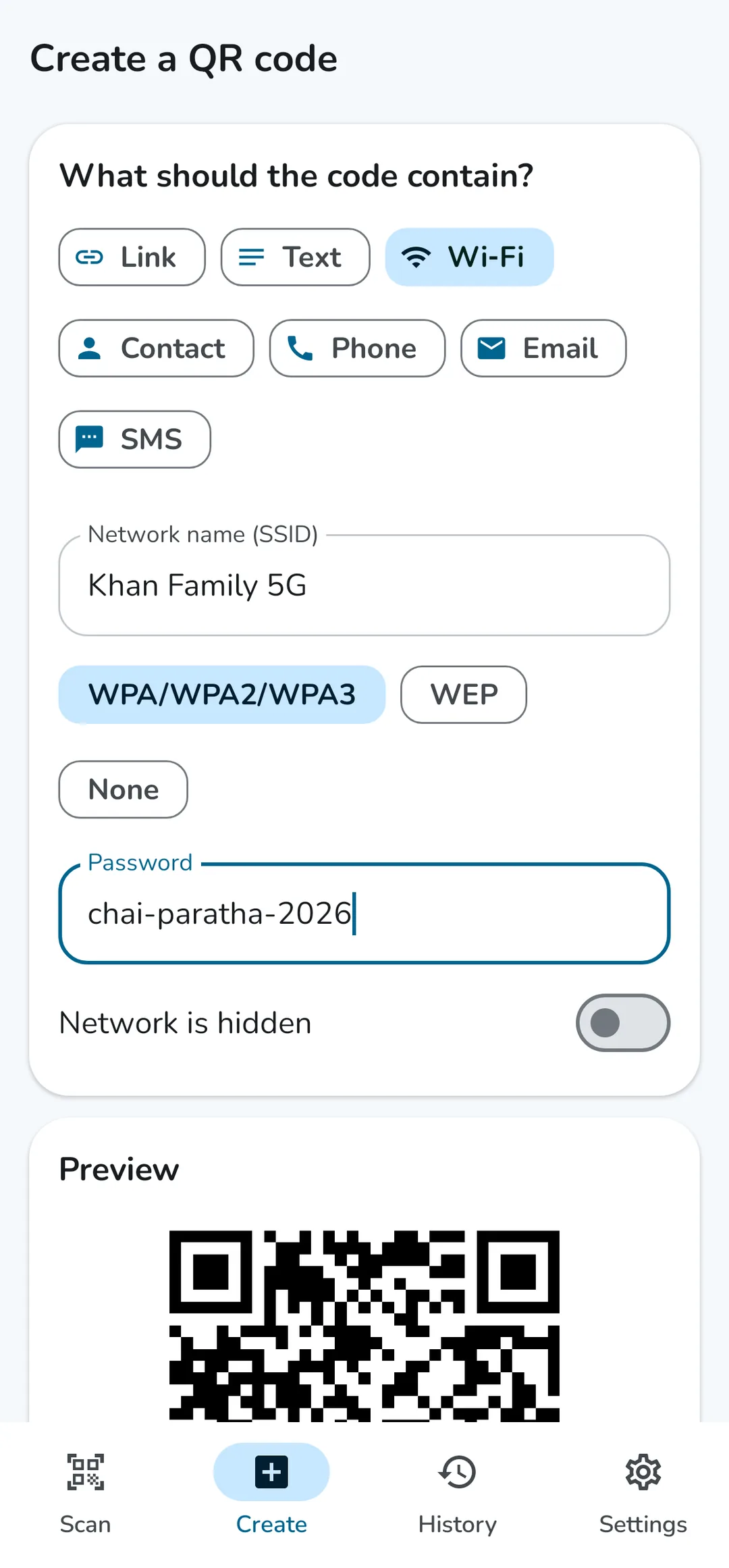
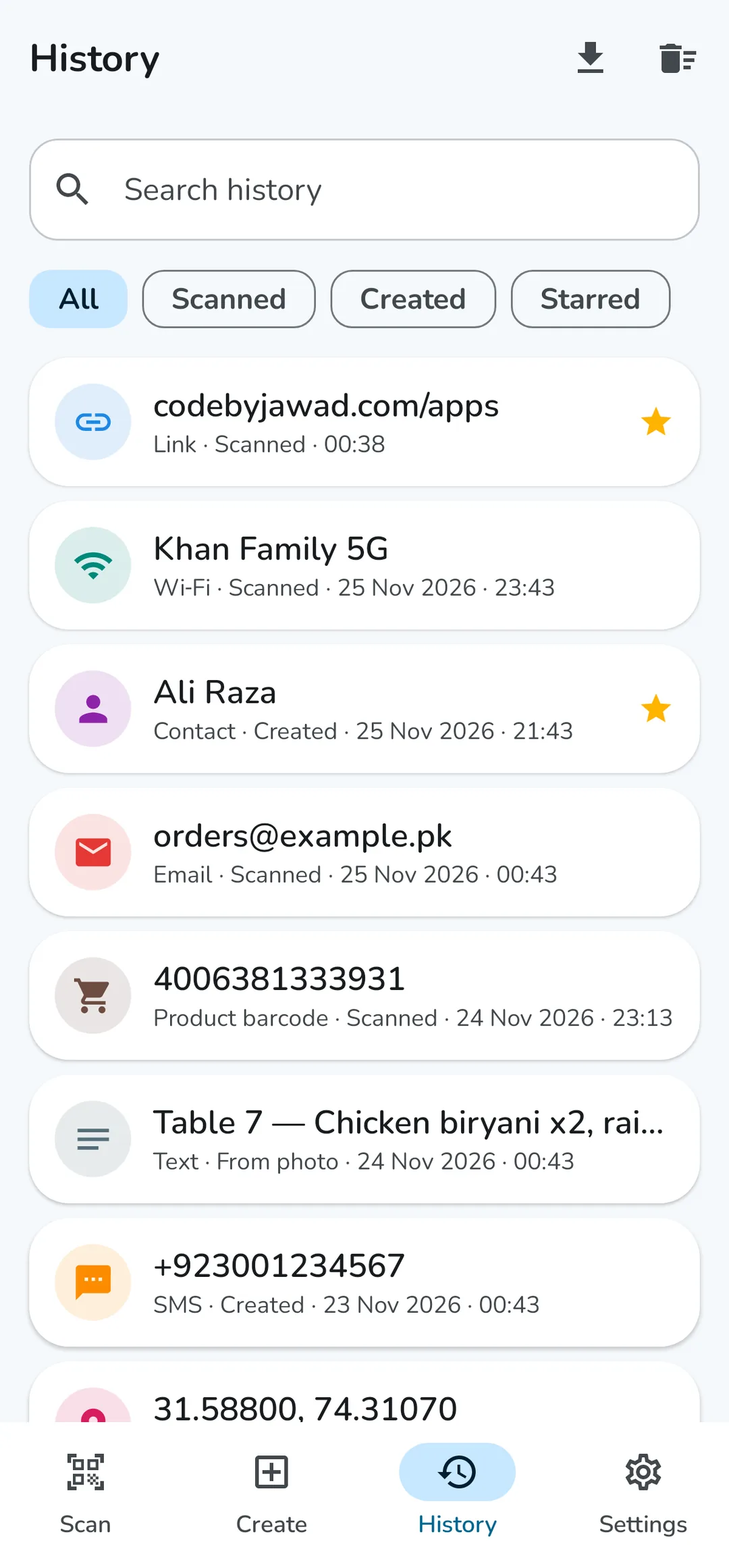
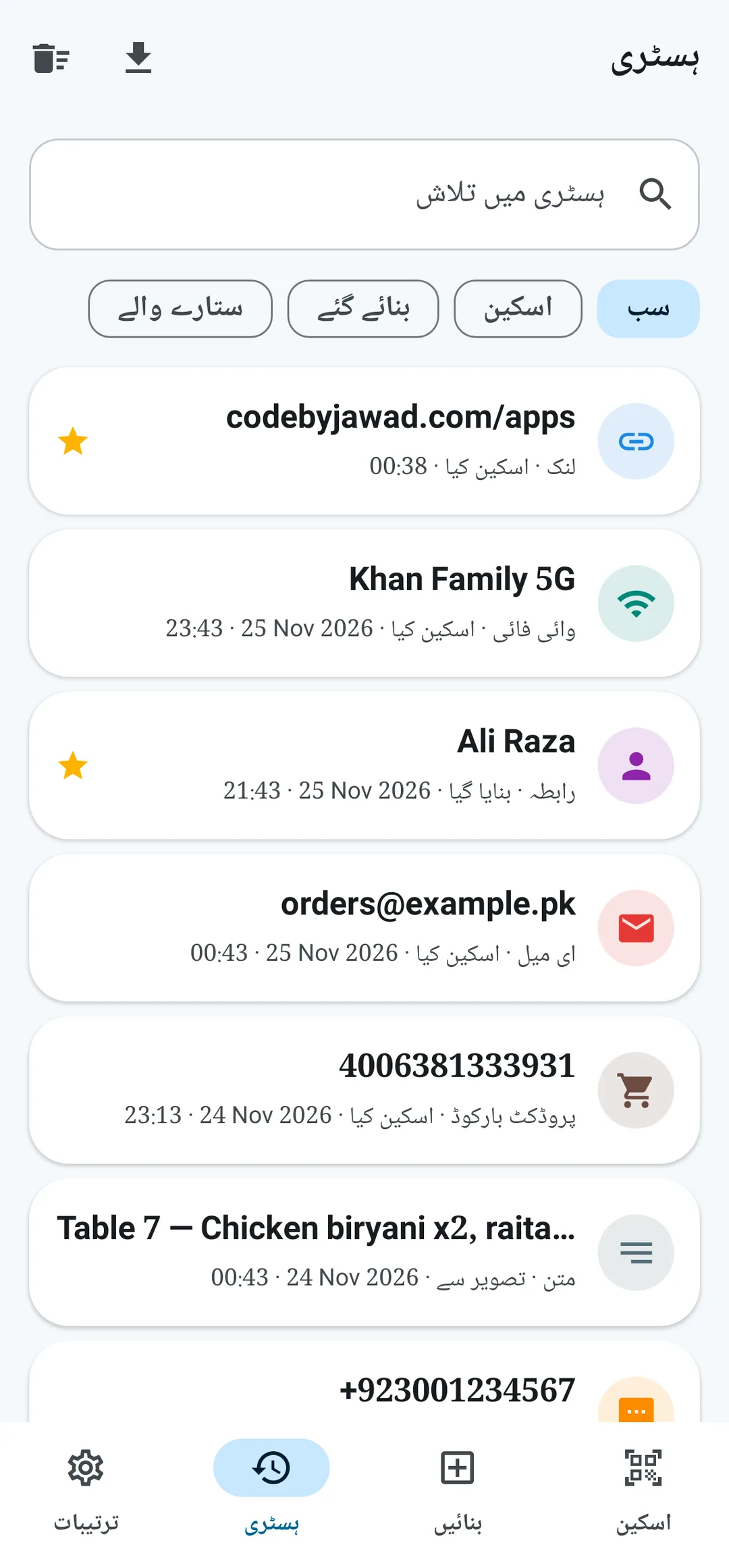
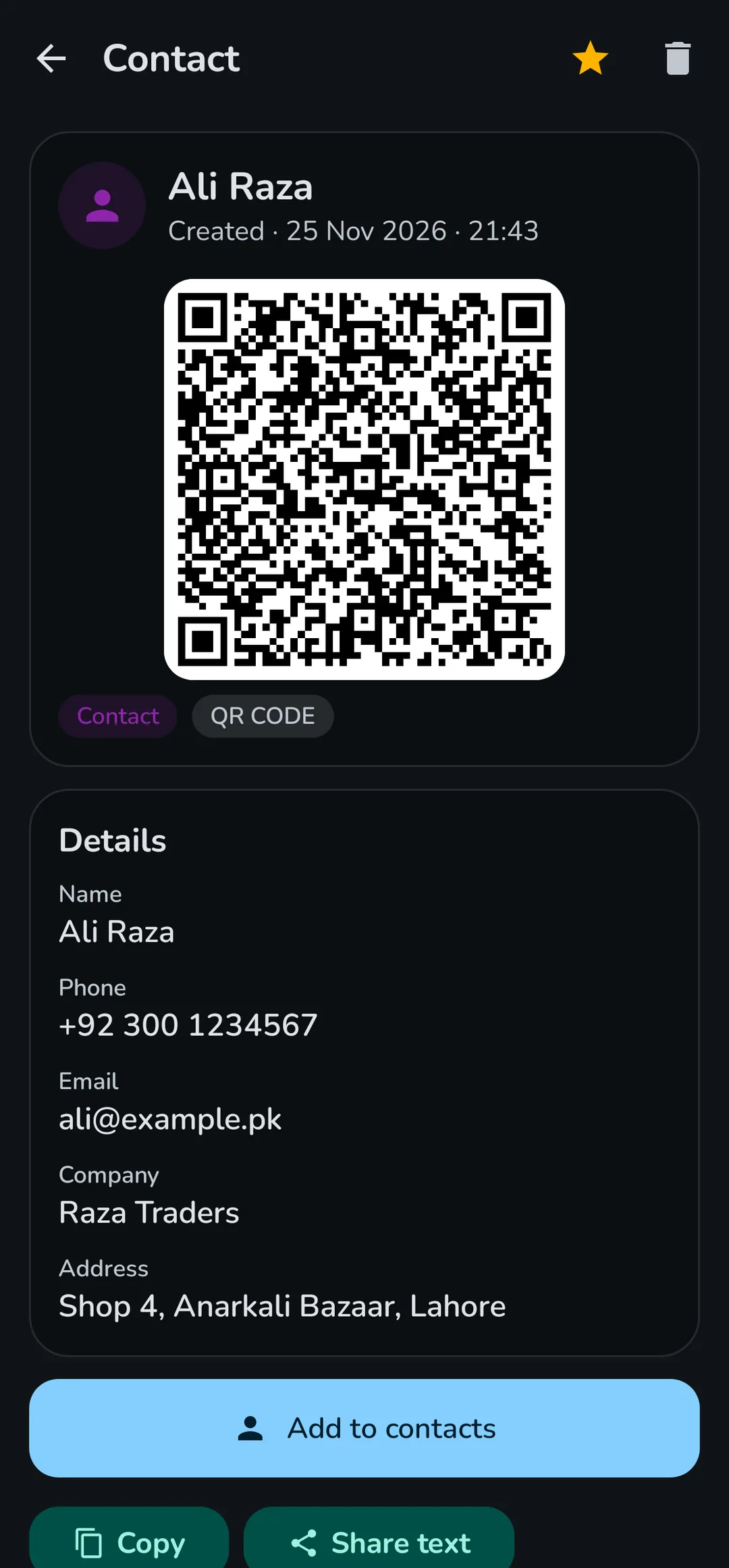
QR Toolkit reads QR codes and barcodes and makes new QR codes, all on your phone. Point the camera at a code and the result opens straight away, or pick a photo or screenshot to read a code from it. You can also share an image to QR Toolkit from your gallery or WhatsApp.
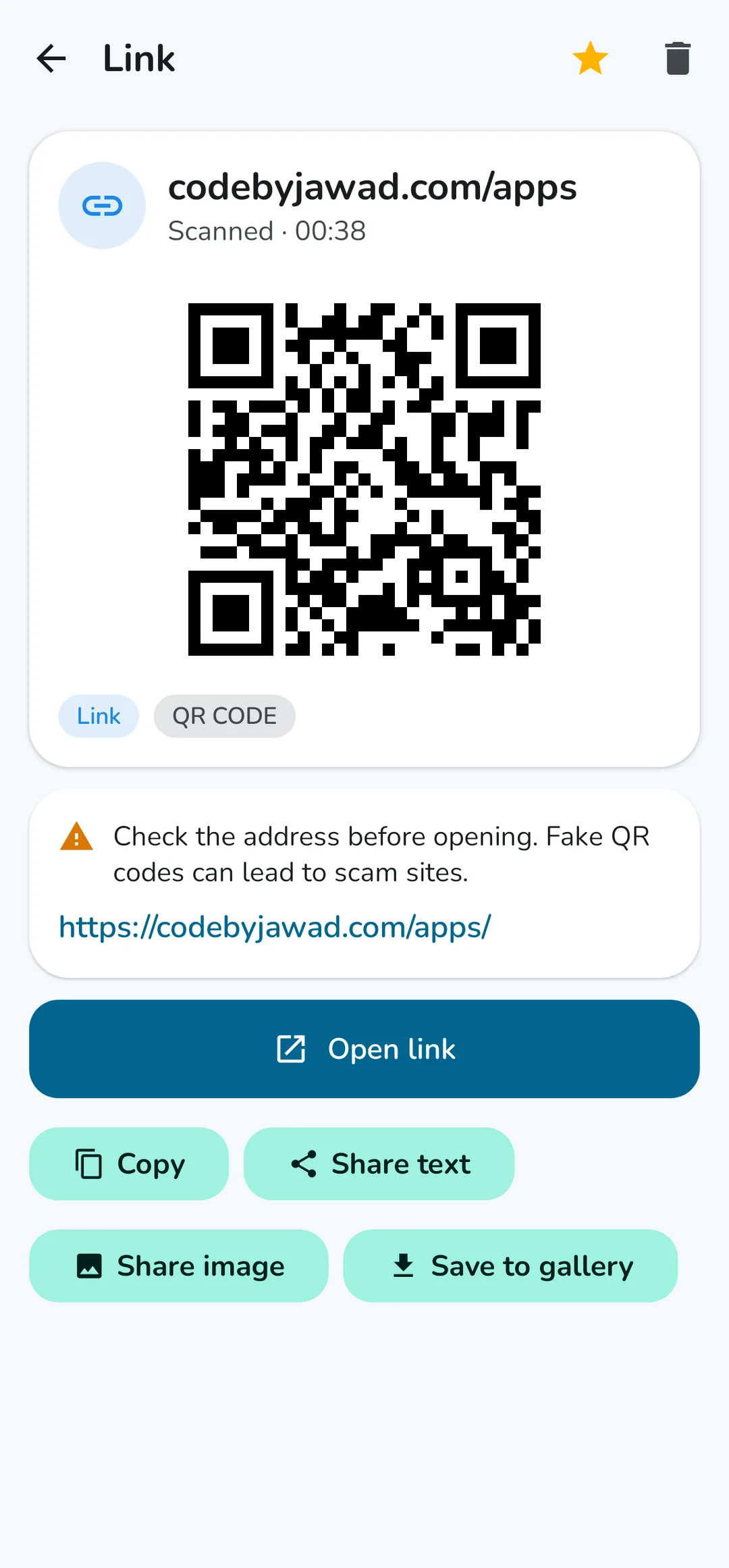
Results are shown by type with the right button: open a link, copy a Wi‑Fi password and jump to Wi‑Fi settings, add a contact card to your contacts, call a number, write an email or SMS, open a location in maps, or search a product barcode. Links are never opened on their own: the full address is shown first with a reminder that fake QR codes can lead to scam sites.
Create QR codes for a website, plain text, your Wi‑Fi network, a contact card, a phone number, an email or an SMS. Pick an ink colour, then share the image or save it to your gallery. A Wi‑Fi QR code on the wall lets guests join without asking for the password.
It reads QR, Data Matrix, Aztec, PDF417, EAN‑13, EAN‑8, UPC‑A, UPC‑E, Code 128, Code 39, Code 93, ITF and Codabar, including white‑on‑black codes. History keeps what you scan and create, with search, stars and CSV export, or you can turn history off.
Codes are decoded on your phone with the open-source ZXing library. The camera is used only for scanning and frames are never saved or uploaded. The app is free and shows ads from Google AdMob, with a consent form where the law requires one. Ads need internet; without it the app works normally, just without ads.
Check that the file you downloaded matches this SHA-256 checksum:
81c3e8df7268e25dece8a50f39d52115e4fde8f293433260930896d0c842d123Linux: sha256sum qr-toolkit-v1.0.apk
macOS: shasum -a 256 qr-toolkit-v1.0.apk
Windows: certutil -hashfile qr-toolkit-v1.0.apk SHA256
Signing certificate (SHA-256):
ae29f90516e173ef1228b0df9cd9bb7893fa4170da279438cbb122baaf811d79Every update is signed with this same certificate, so Android will refuse an update that was modified by anyone else.
QR Toolkit works offline. Your records stay on your phone and are never uploaded. There is no account and no analytics. The app is free because it shows ads from Google AdMob. Ads use the internet when it is available; Google may receive device and network information (such as IP address) to show and measure ads, and where the law requires it the app asks for your consent first. The app does not request the Android advertising ID. You can change your choice in the app under Privacy & ad choices. Any backup or export is a file you create and keep yourself. Read the full apps privacy policy.
No. Codes are decoded on your phone, camera frames are never stored, and history stays on the phone. Internet is only used for ads.
Yes. Tap Scan from photo and pick the image, or share the image to QR Toolkit from your gallery or WhatsApp.
No. It shows the network and password, copies the password and opens Wi‑Fi settings so you choose the network yourself.
Fake QR codes stuck on posters or parking meters can lead to scam sites, so the full address is shown first and nothing opens until you tap.
Yes. It is free and shows ads from Google AdMob. There are no in-app purchases.
Tap Download APK on this page, open the downloaded file and tap Install. If Android asks, allow your browser to install unknown apps for this install. It needs Android 7.0 or newer.
Estimate your LESCO, MEPCO, IESCO or K-Electric bill, track meter readings and get warned before 200 units. Offline, English and Urdu.
Manage a committee / BC / kameti (ROSCA): members, shares, monthly payments, payout turns, draw lots and WhatsApp reminders. Offline, no account.
Record daily expenses and income by category, set a monthly budget, see charts and export CSV. Offline, English and Urdu.
I build offline-first Android, iOS and web apps, in English and Urdu if you need it.