Estimate your LESCO, MEPCO, IESCO or K-Electric bill, track meter readings and get warned before 200 units. Offline, English and Urdu.
v1.0.1 · 3.6 MB · Android 7.0+View app
See your take-home pay after federal, FICA and state taxes for 2026
Free · Contains ads · No account · Version 1.0.0
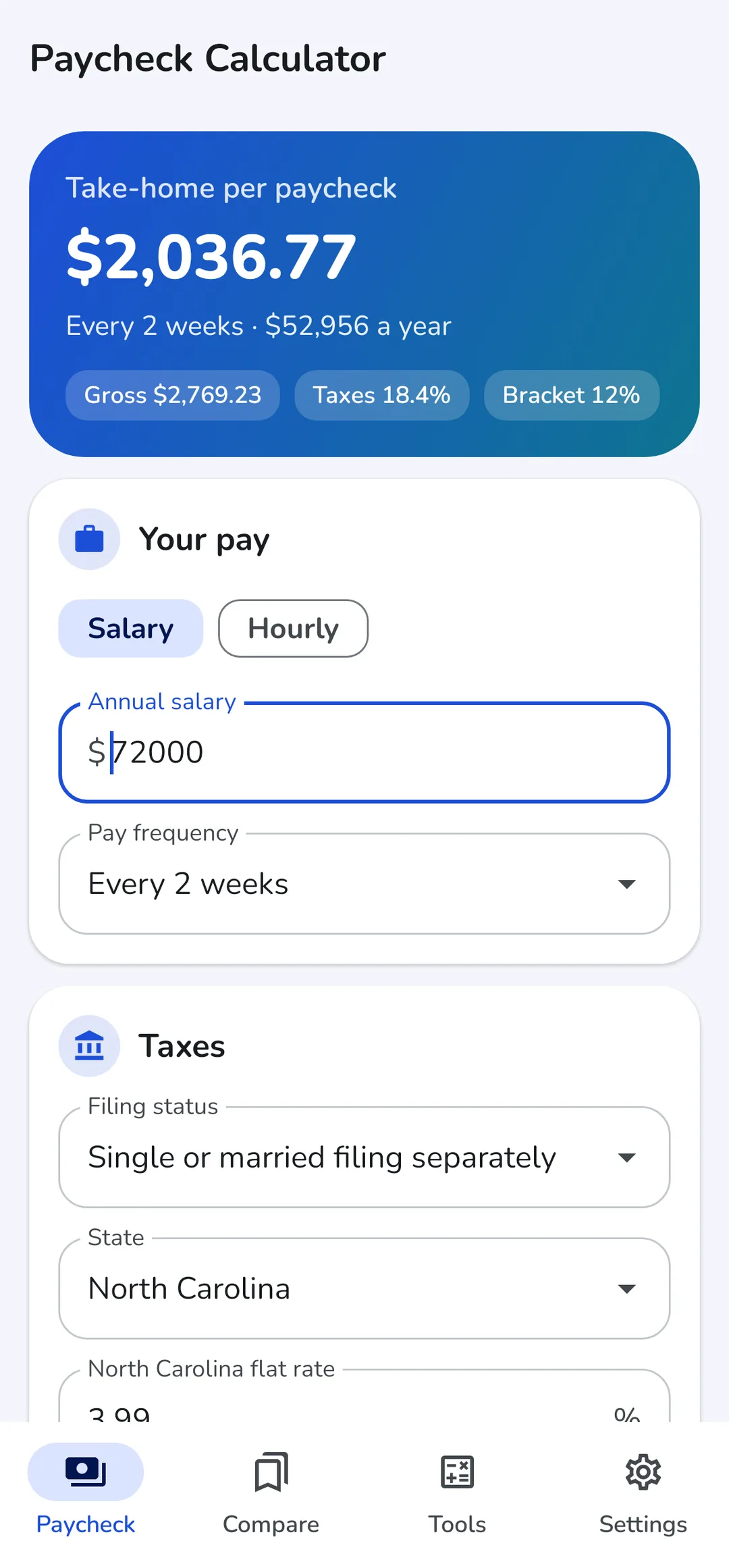
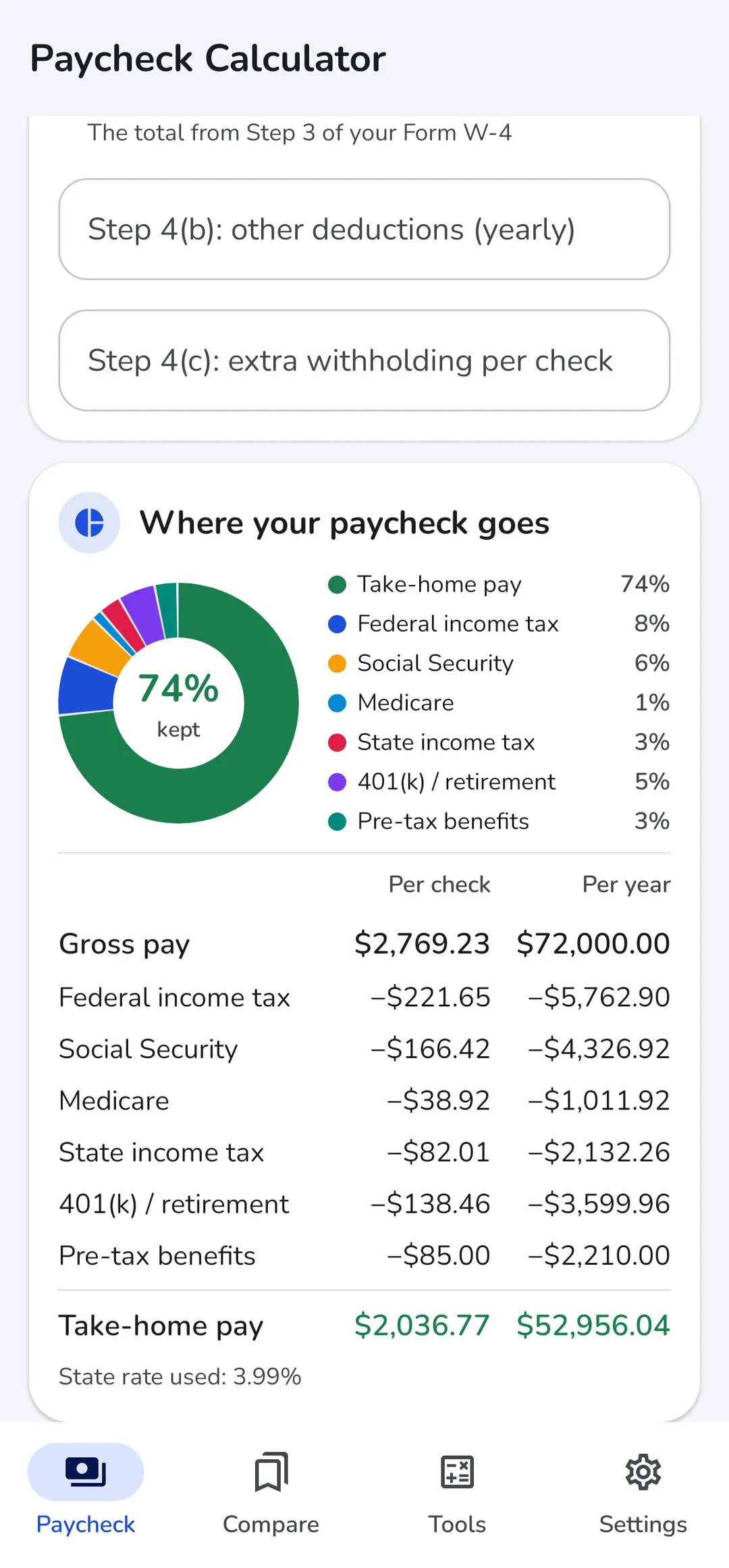
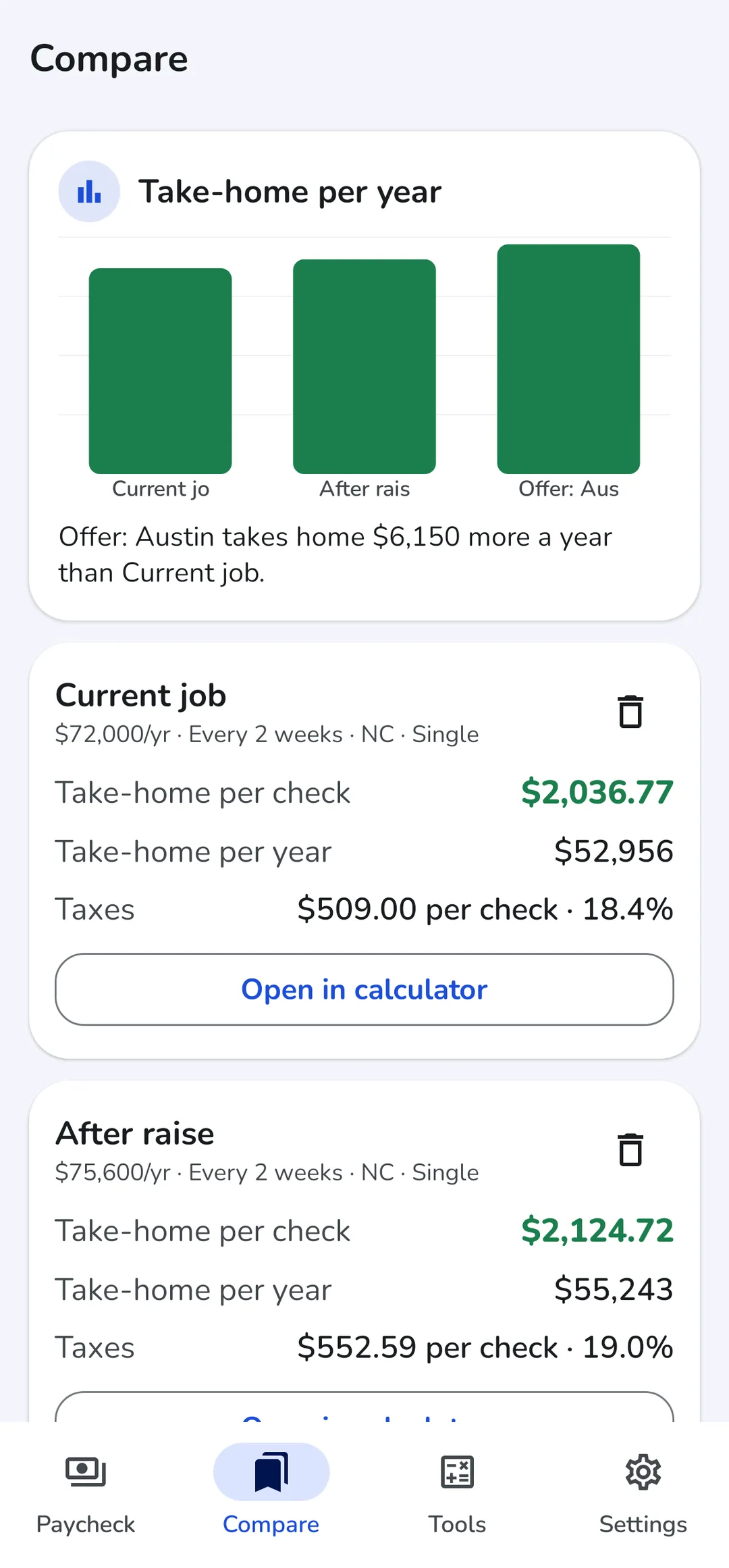
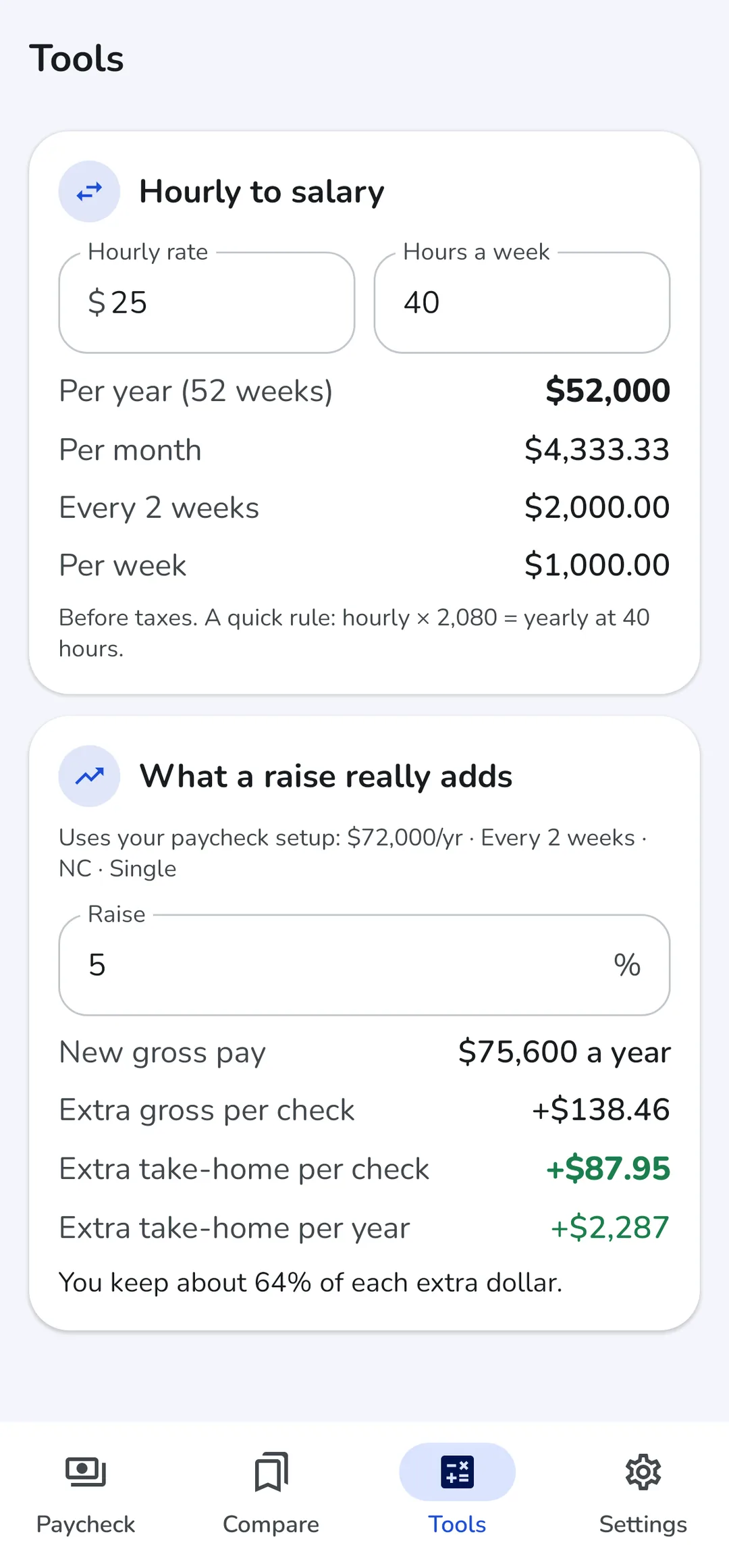
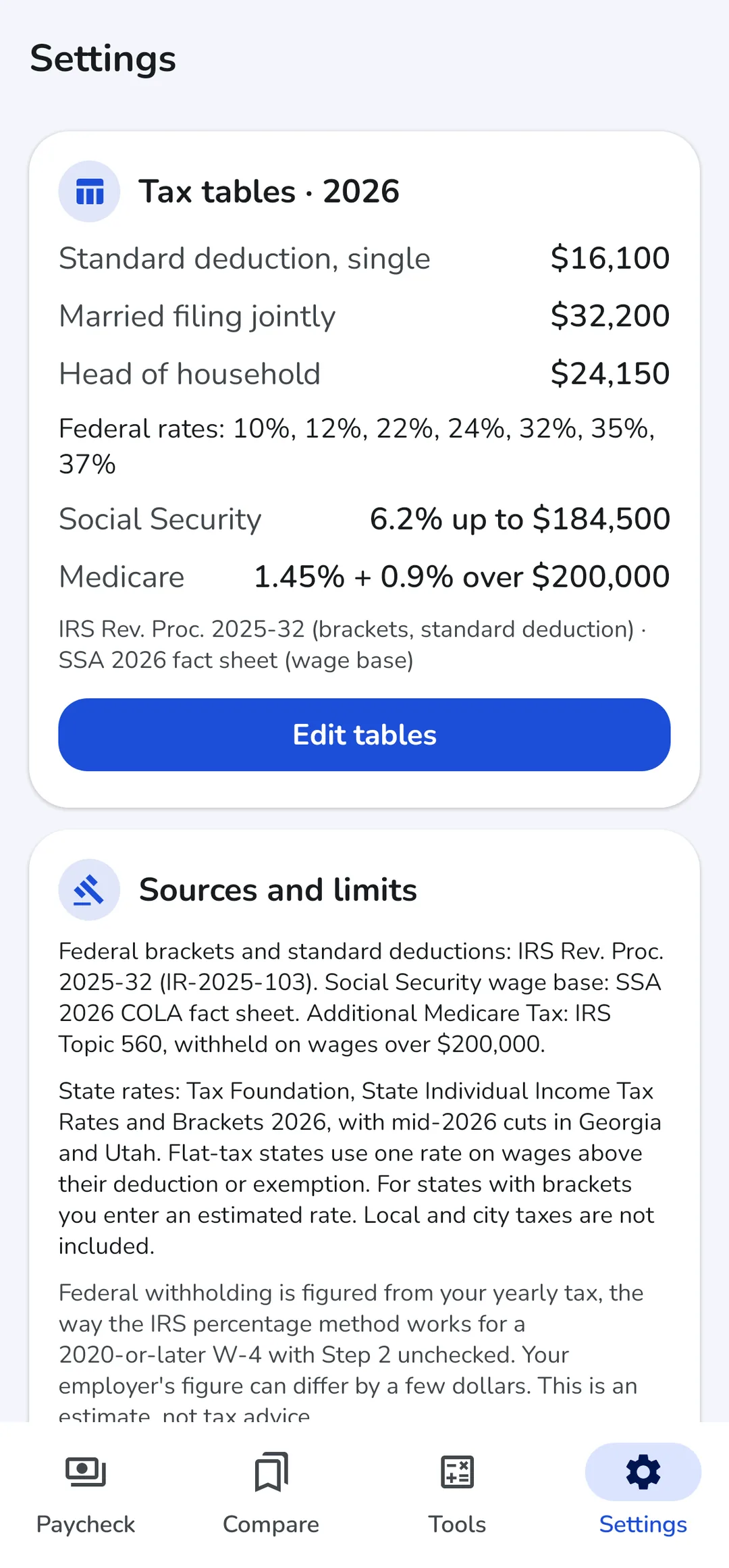
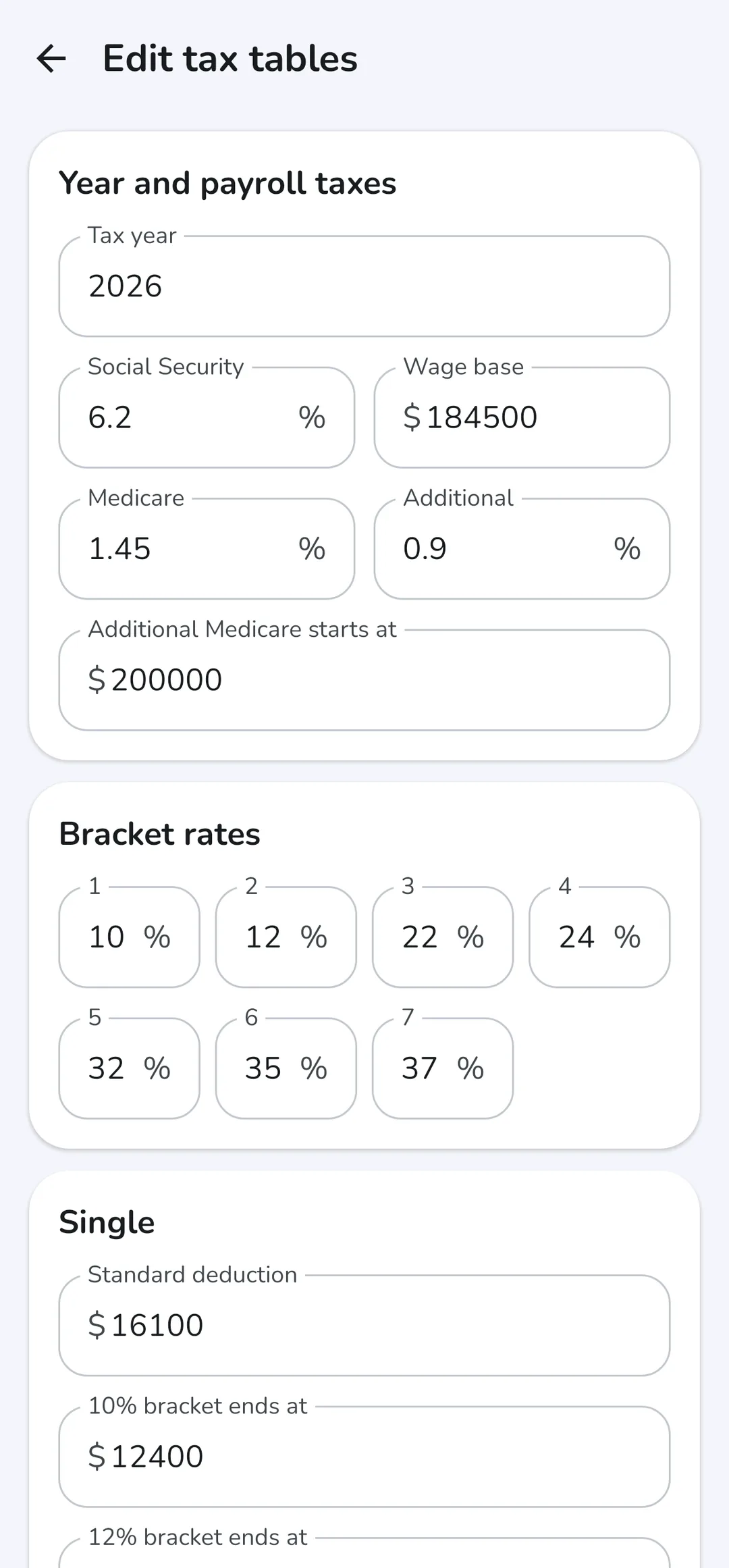
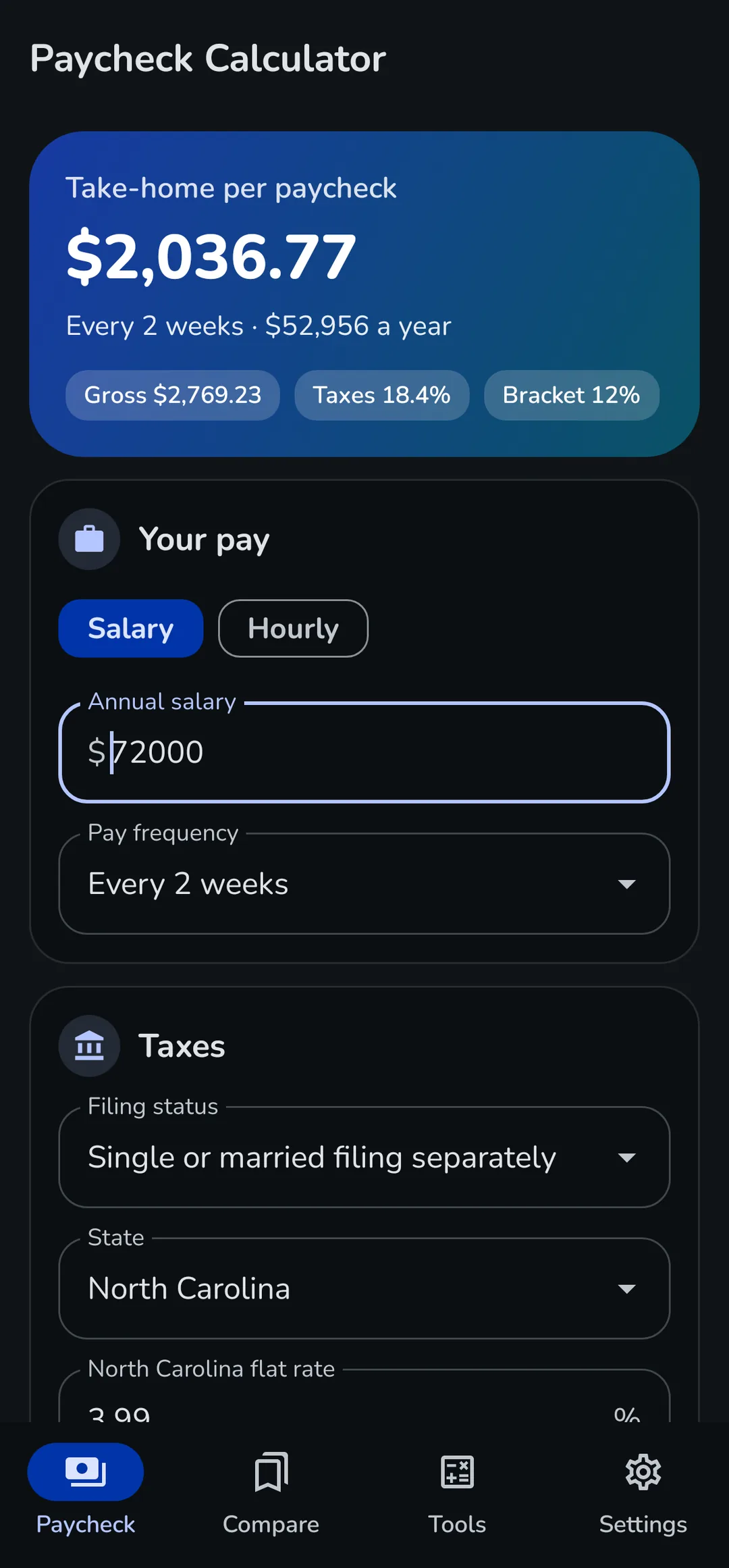
Paycheck Calculator shows what actually lands in your bank account each payday. Enter a yearly salary, or an hourly rate with hours and overtime, pick how often you are paid and your filing status, and see your take-home pay update as you type.
Federal income tax uses the 2026 IRS brackets and standard deductions from Revenue Procedure 2025-32. Social Security is 6.2% up to the $184,500 wage base and Medicare is 1.45%, plus 0.9% on wages over $200,000. Add a traditional 401(k) percentage, pre-tax health or HSA deductions, after-tax deductions, and the Step 3 and Step 4 amounts from your W-4.
All 50 states and DC are included. States with no wage tax, such as Texas and Florida, take nothing. The 16 flat-tax states use their 2026 rate on wages above their deduction or exemption. For states with brackets you enter an estimated rate. Local and city taxes are not included. Every number in the tax tables can be edited, so you can enter next year's figures yourself.
Save paychecks to compare job offers, a raise or a move side by side, convert hourly pay to salary, and see how much of a raise you really keep. Results are estimates, not tax advice.
The app is free and shows ads from Google AdMob, with a consent form where the law requires one. Nothing you type leaves your phone, and the calculator works fully offline; ads need internet.
Check that the file you downloaded matches this SHA-256 checksum:
95c5bc5c6592b6554c77611c03c5831d34d0fae8b6a33808bea6a8b9ba1922afLinux: sha256sum paycheck-calc-v1.0.apk
macOS: shasum -a 256 paycheck-calc-v1.0.apk
Windows: certutil -hashfile paycheck-calc-v1.0.apk SHA256
Signing certificate (SHA-256):
3324e424bb7fd5de58ae6629011c6fbb1a90da04ddba4ca701a1b48ae1d325cfEvery update is signed with this same certificate, so Android will refuse an update that was modified by anyone else.
Paycheck Calculator works offline. Your records stay on your phone and are never uploaded. There is no account and no analytics. The app is free because it shows ads from Google AdMob. Ads use the internet when it is available; Google may receive device and network information (such as IP address) to show and measure ads, and where the law requires it the app asks for your consent first. The app does not request the Android advertising ID. You can change your choice in the app under Privacy & ad choices. Any backup or export is a file you create and keep yourself. Read the full apps privacy policy.
Yes. It is free and shows ads from Google AdMob. There are no subscriptions or in-app purchases.
2026: IRS Rev. Proc. 2025-32 brackets and standard deductions, and the SSA's $184,500 Social Security wage base. You can edit every figure in Settings.
No-tax and flat-tax states use their 2026 rate on wages above the state deduction or exemption. For states with brackets, such as California or New York, you enter your estimated rate. Local taxes are not included.
Employers use the IRS percentage-method tables, round differently and may withhold for local taxes or benefits the app doesn't know about. The estimate should be close, but it is not tax advice.
No. Everything is calculated on your phone and works offline. Internet is used only for ads.
Tap Download APK on this page, open the downloaded file and tap Install. If Android asks, allow your browser to install unknown apps for this install. It needs Android 7.0 or newer.
Estimate your LESCO, MEPCO, IESCO or K-Electric bill, track meter readings and get warned before 200 units. Offline, English and Urdu.
Manage a committee / BC / kameti (ROSCA): members, shares, monthly payments, payout turns, draw lots and WhatsApp reminders. Offline, no account.
Record daily expenses and income by category, set a monthly budget, see charts and export CSV. Offline, English and Urdu.
I build offline-first Android, iOS and web apps, in English and Urdu if you need it.