Estimate your LESCO, MEPCO, IESCO or K-Electric bill, track meter readings and get warned before 200 units. Offline, English and Urdu.
v1.0.1 · 3.6 MB · Android 7.0+View app
Log business miles for Uber, DoorDash and self-employed work, with IRS rates built in
Free · Contains ads · No account · Version 1.0.0
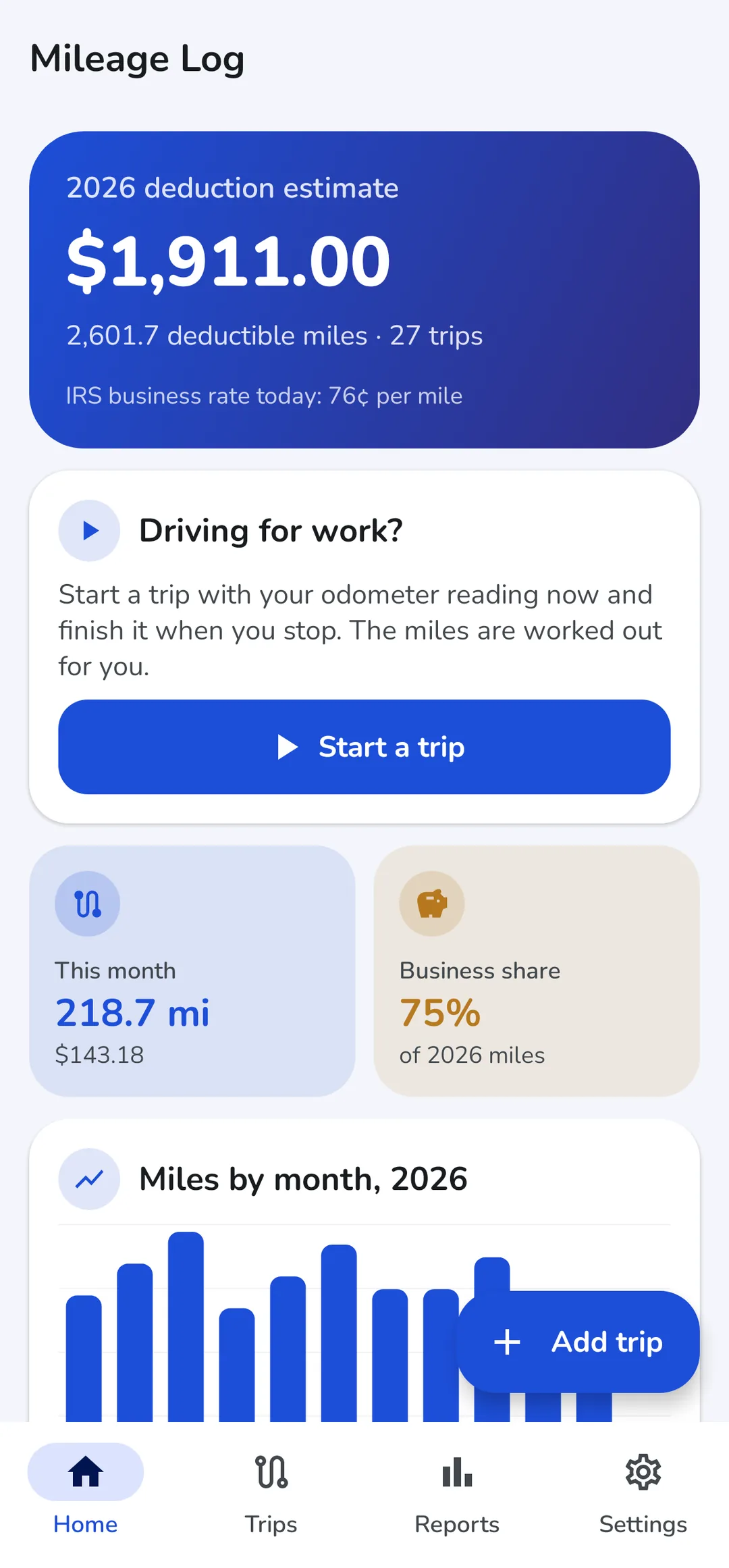
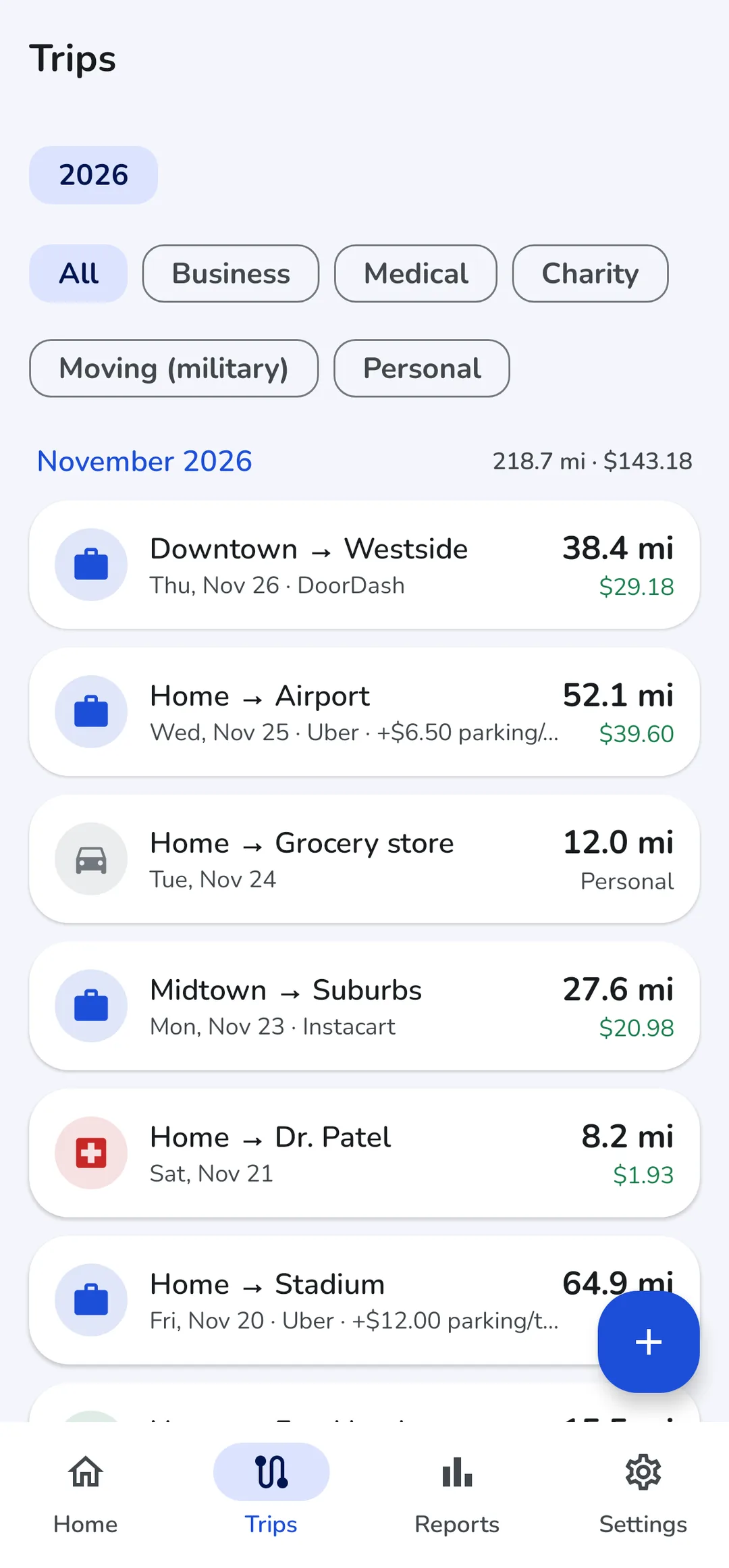
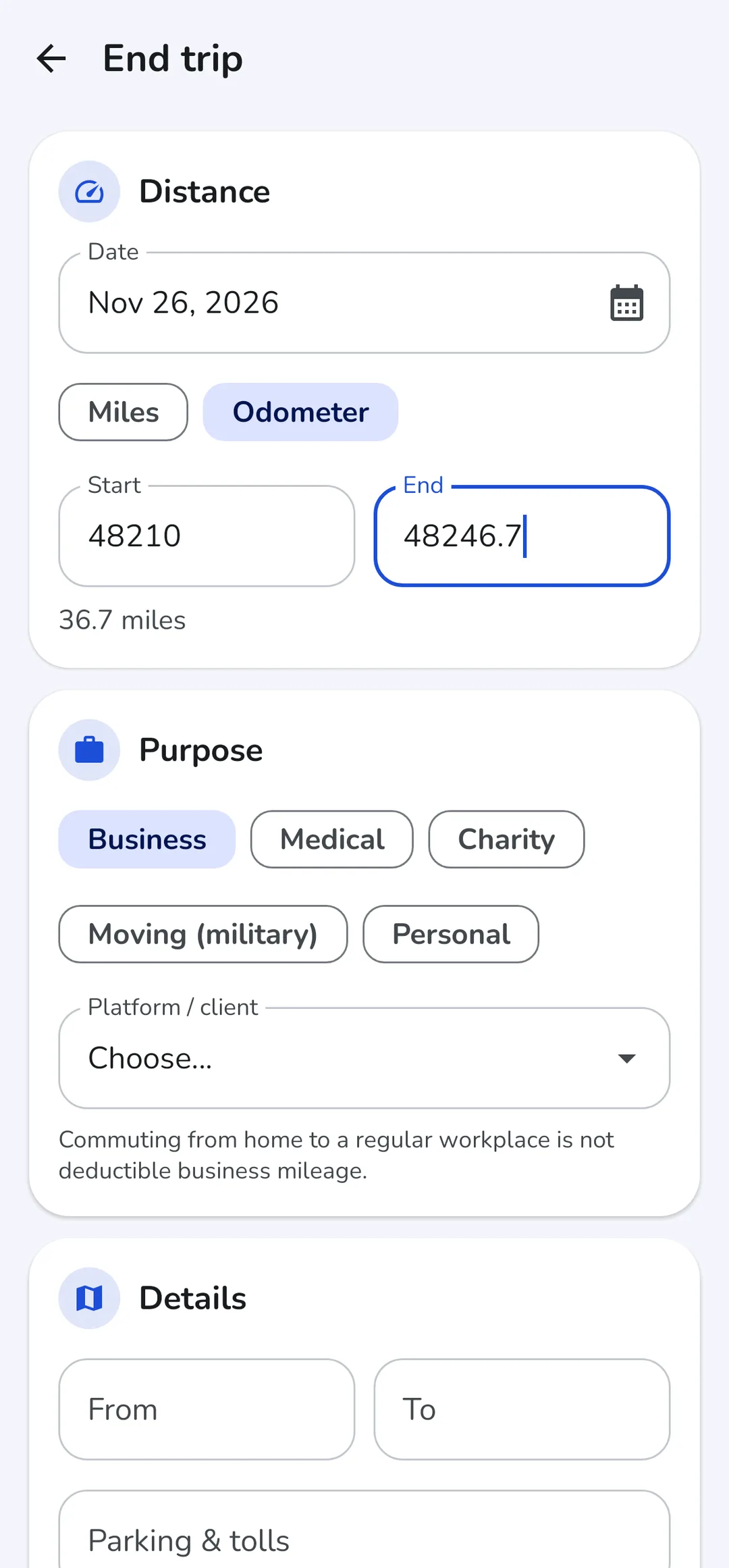
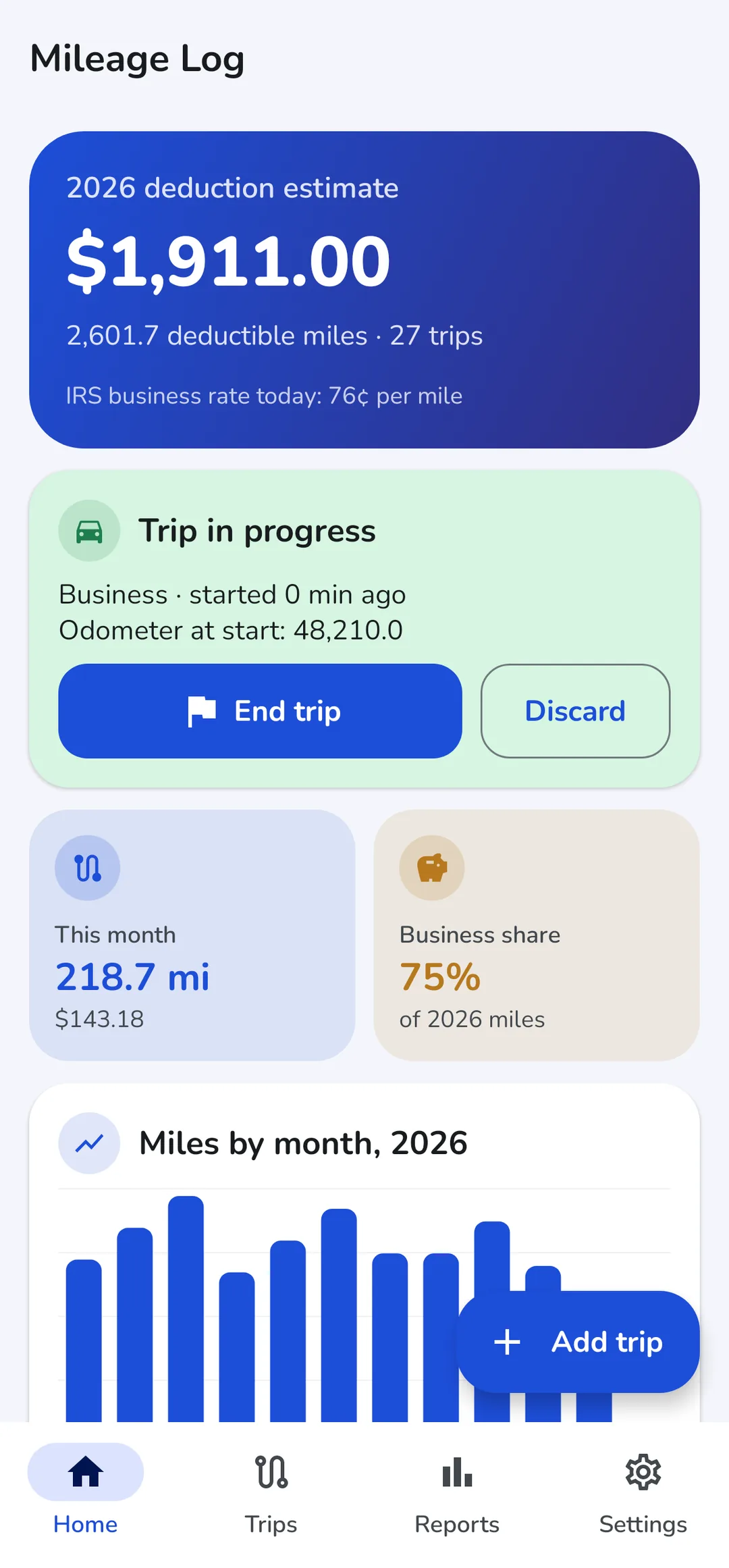
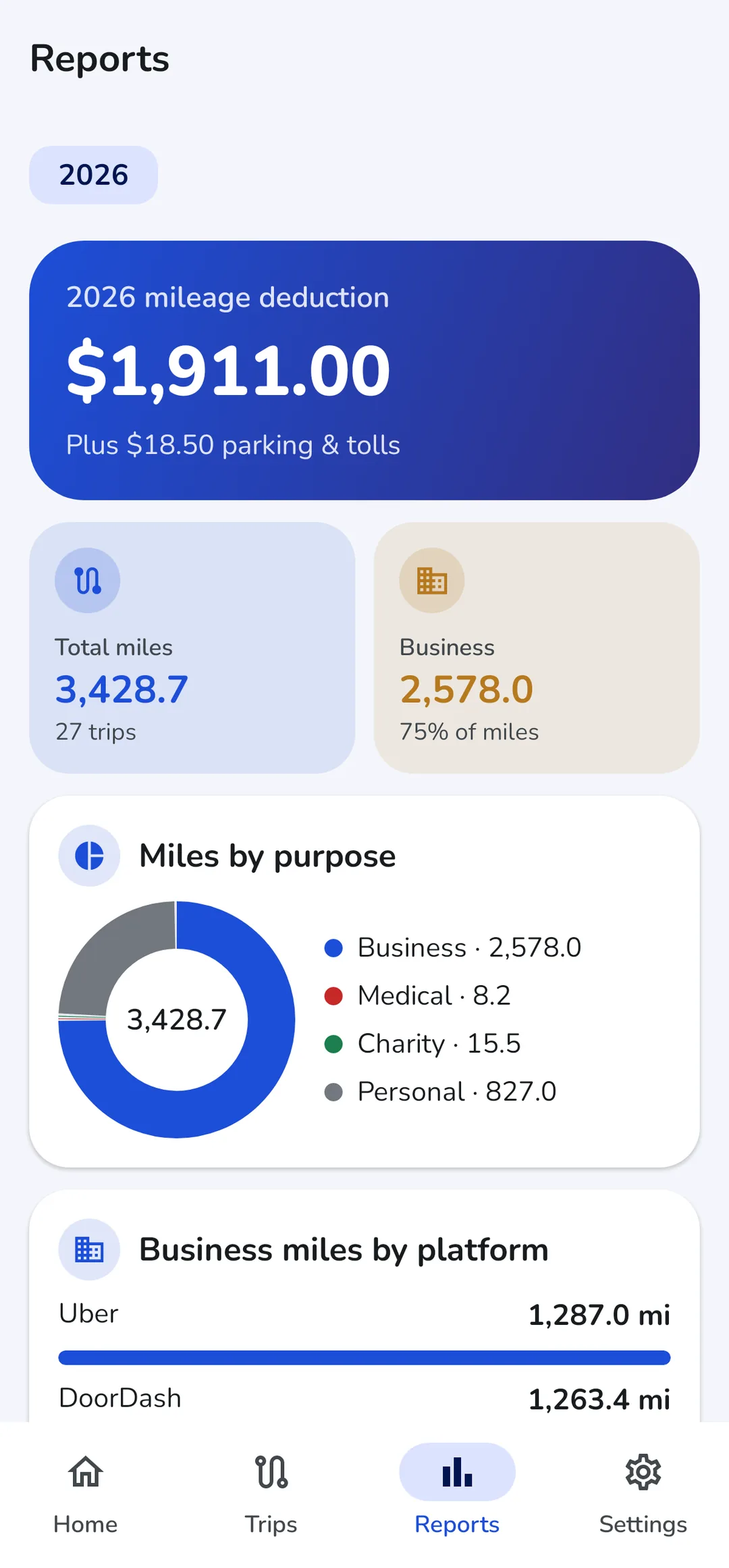
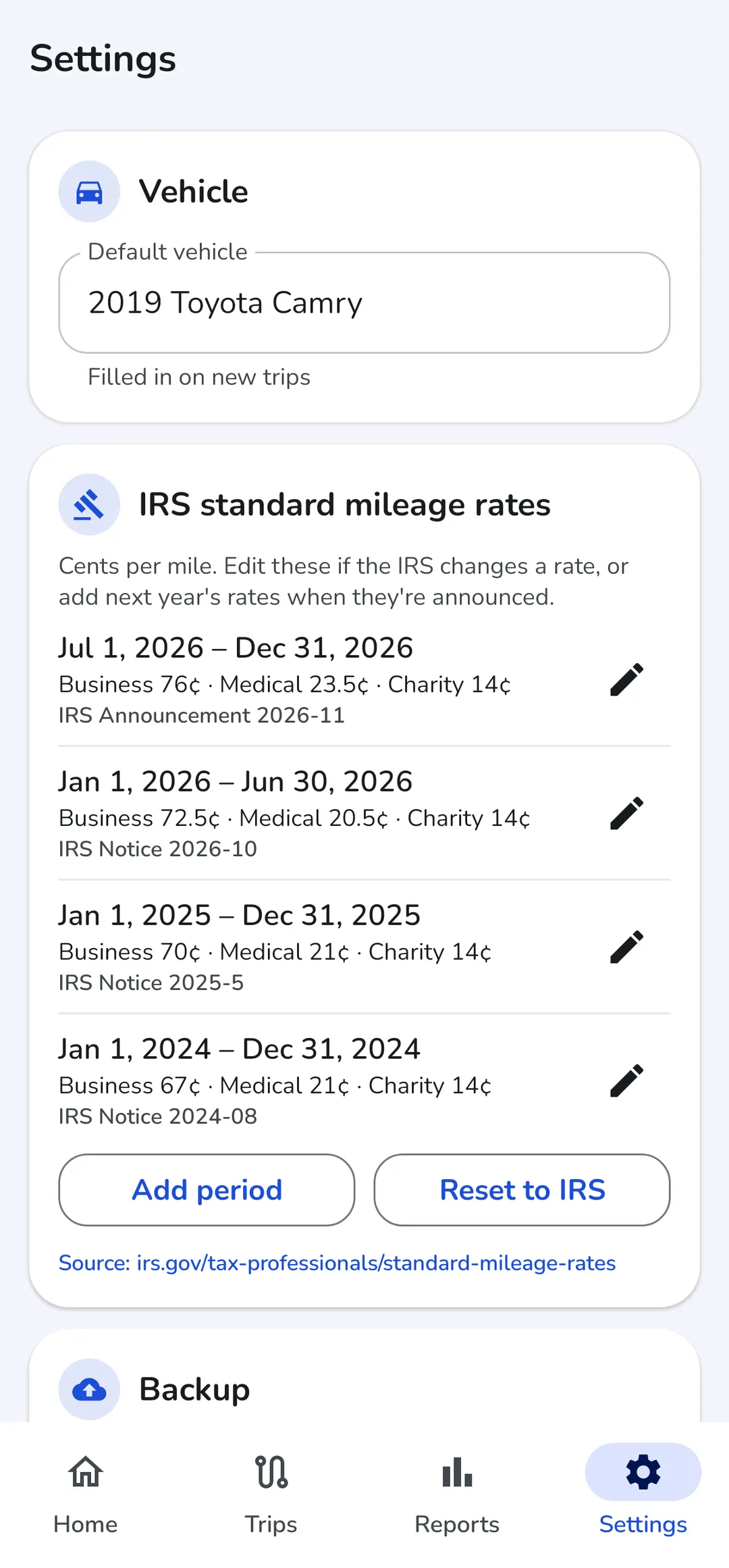
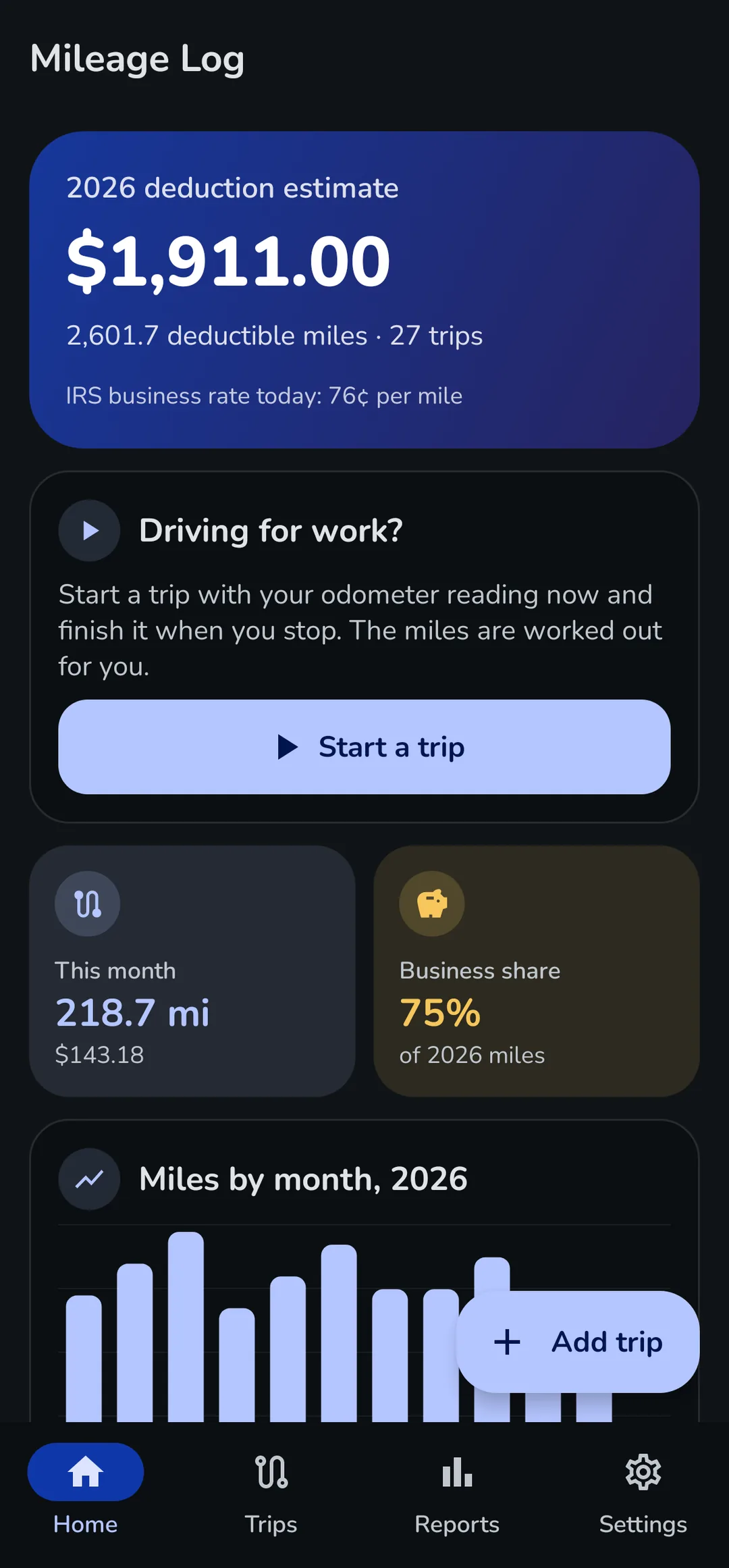
Mileage Log is a simple mileage tracker for gig drivers, delivery couriers, real-estate agents, contractors and anyone who drives for self-employed work in the US. Every trip you log turns into an estimate of your mileage deduction at the IRS standard rate for that date.
Add a trip by miles, or start it with your odometer reading and tap End trip when you stop: the app works out the distance. Tag each trip as business, medical, charity, military moving or personal, pick the platform (Uber, Lyft, DoorDash, Instacart, Amazon Flex and more), and note where you went and why, the way IRS Publication 463 asks. Parking and tolls are tracked separately because they are deductible on top of the rate.
The 2024, 2025 and 2026 IRS rates are built in, including the mid-2026 change from 72.5 to 76 cents a mile, with the IRS notice for each. You can edit them or add next year's rates yourself. Reports show miles and deductions by year, purpose and platform, and export a tax-ready CSV log for your accountant or tax software. Back up to a file and restore on a new phone.
There is no GPS tracking: the app asks for no location permission and nothing runs in the background. Deductions are estimates, not tax advice.
The app is free and shows ads from Google AdMob, with a consent form where the law requires one. Ads need internet; without it the log works normally, just without ads.
Check that the file you downloaded matches this SHA-256 checksum:
5fb768b845311080124a0c090c552be80d0dd213e1ca5ad17861f82c04a4aea2Linux: sha256sum mileage-log-v1.0.apk
macOS: shasum -a 256 mileage-log-v1.0.apk
Windows: certutil -hashfile mileage-log-v1.0.apk SHA256
Signing certificate (SHA-256):
ec18a0e08d309fd48a78af1436f615e8358bfd15d7eba6ad714e92fbfed38f78Every update is signed with this same certificate, so Android will refuse an update that was modified by anyone else.
Mileage Log & Tracker works offline. Your records stay on your phone and are never uploaded. There is no account and no analytics. The app is free because it shows ads from Google AdMob. Ads use the internet when it is available; Google may receive device and network information (such as IP address) to show and measure ads, and where the law requires it the app asks for your consent first. The app does not request the Android advertising ID. You can change your choice in the app under Privacy & ad choices. Any backup or export is a file you create and keep yourself. Read the full apps privacy policy.
Yes. It is free and shows ads from Google AdMob. There are no subscriptions or in-app purchases.
No. It asks for no location permission. You enter miles or odometer readings yourself, and nothing runs in the background.
The optional IRS standard mileage rate for each trip's date: 72.5 cents a mile for business from January to June 2026 and 76 cents from July 1, 2026, with 2024 and 2025 rates too. You can edit the rates in Settings.
Yes. Reports → Export makes a CSV file with the date, purpose, places, odometer, miles, rate, deduction, parking and tolls and notes for every trip.
No. Deductions are estimates. Commuting is not deductible, and the actual-expense method may give a different result. Check irs.gov or a tax professional.
Tap Download APK on this page, open the downloaded file and tap Install. If Android asks, allow your browser to install unknown apps for this install. It needs Android 7.0 or newer.
Estimate your LESCO, MEPCO, IESCO or K-Electric bill, track meter readings and get warned before 200 units. Offline, English and Urdu.
Manage a committee / BC / kameti (ROSCA): members, shares, monthly payments, payout turns, draw lots and WhatsApp reminders. Offline, no account.
Record daily expenses and income by category, set a monthly budget, see charts and export CSV. Offline, English and Urdu.
I build offline-first Android, iOS and web apps, in English and Urdu if you need it.