Estimate your LESCO, MEPCO, IESCO or K-Electric bill, track meter readings and get warned before 200 units. Offline, English and Urdu.
v1.0.1 · 3.6 MB · Android 7.0+View app
Build daily habits, keep your streaks and get a gentle reminder
Free · Contains ads · No account · Version 1.0.0
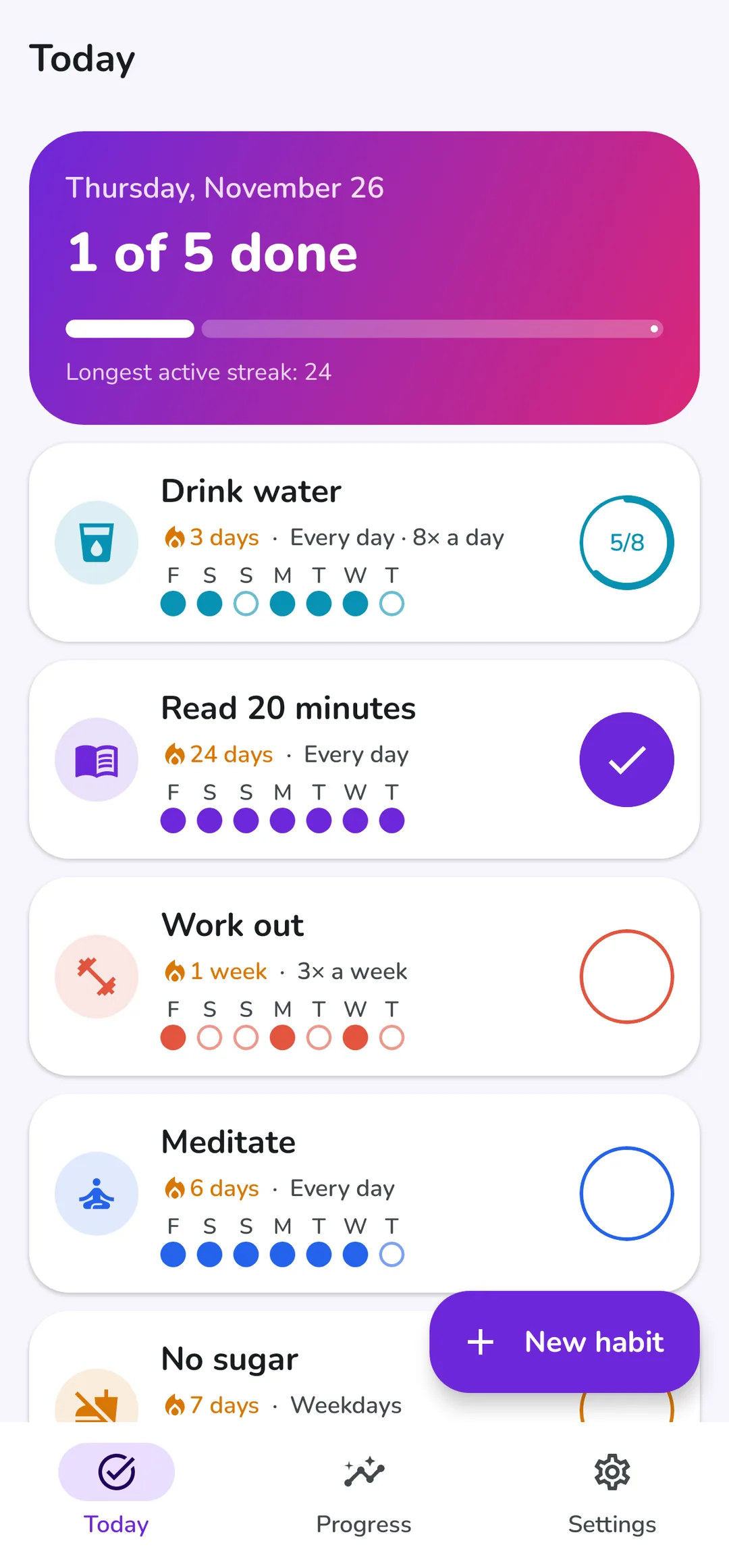
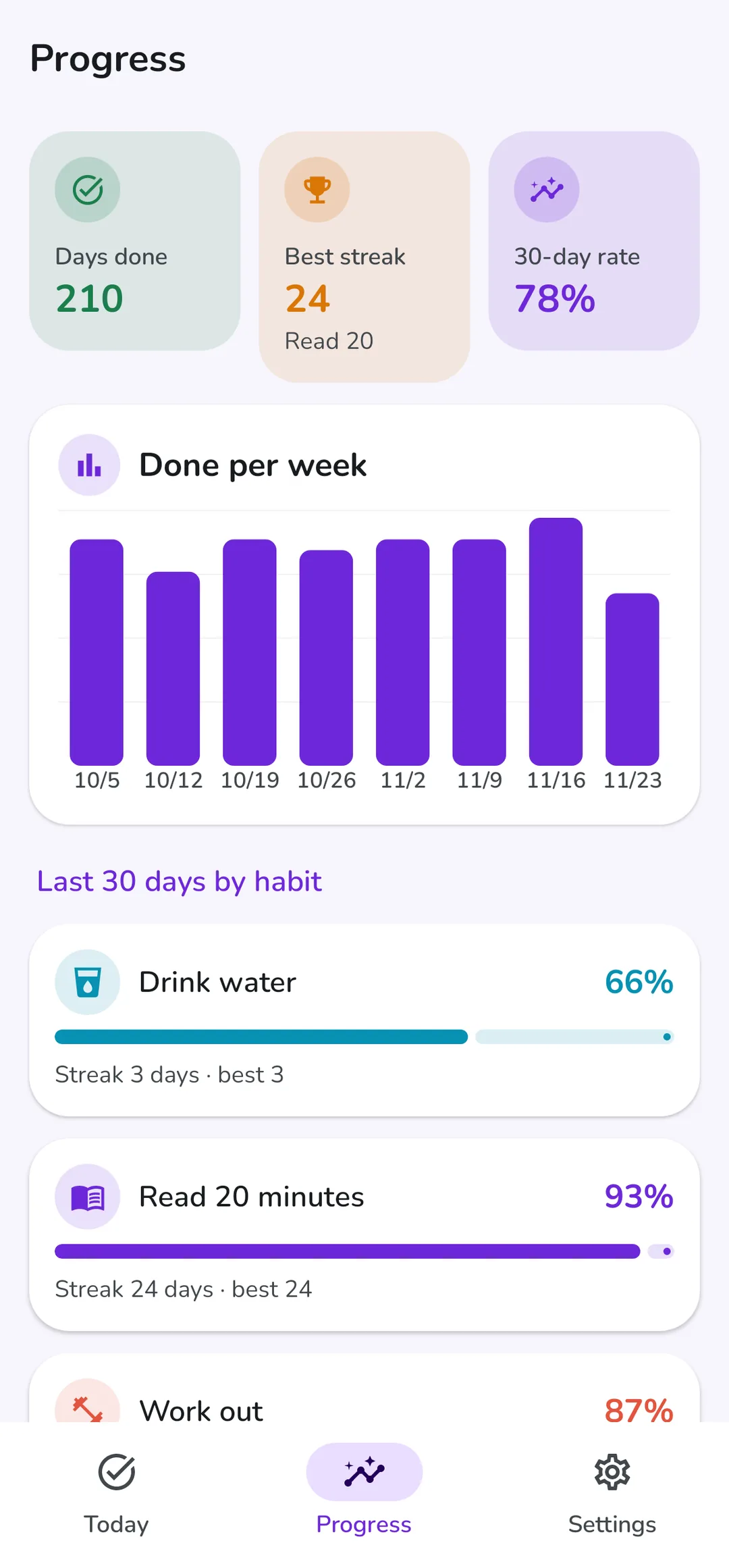
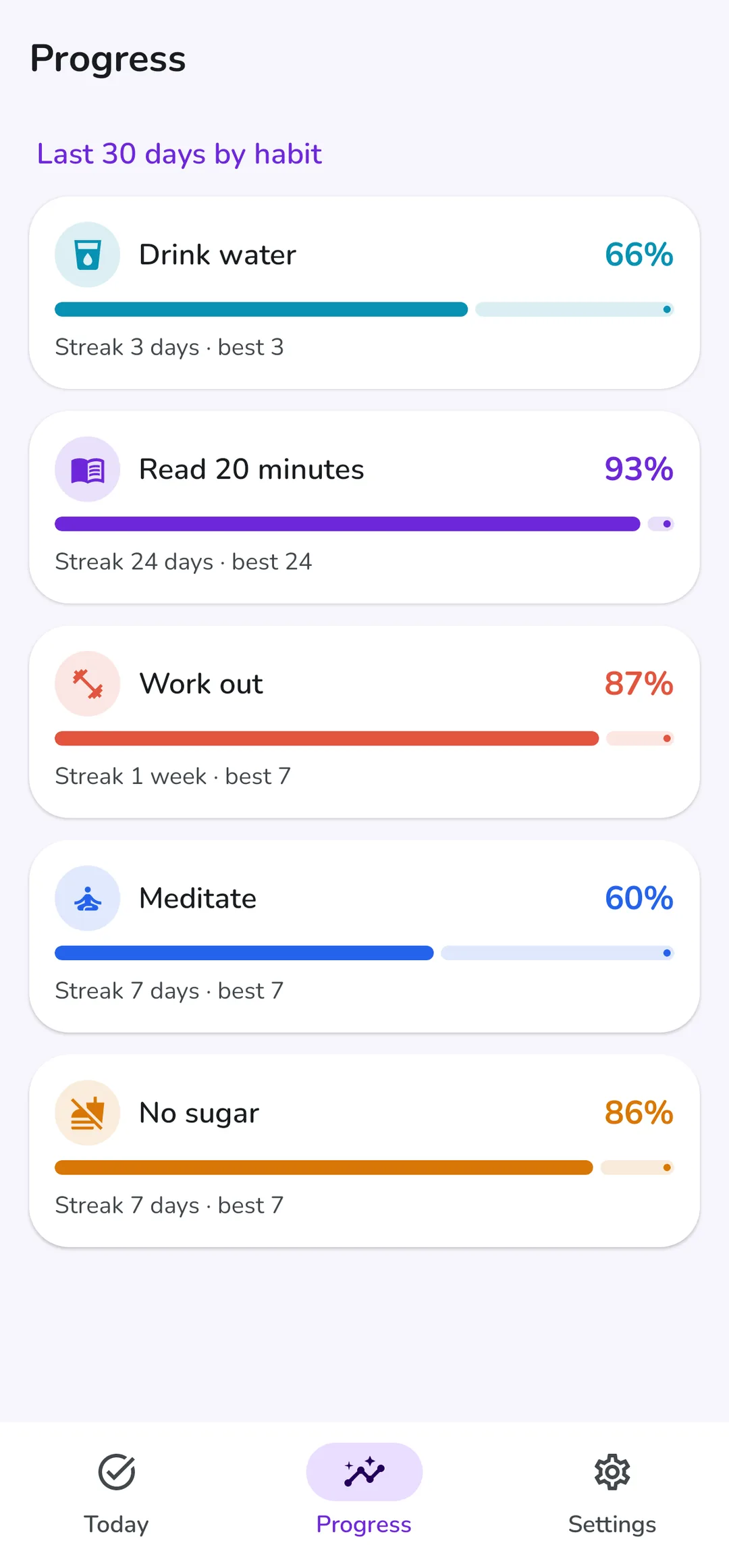
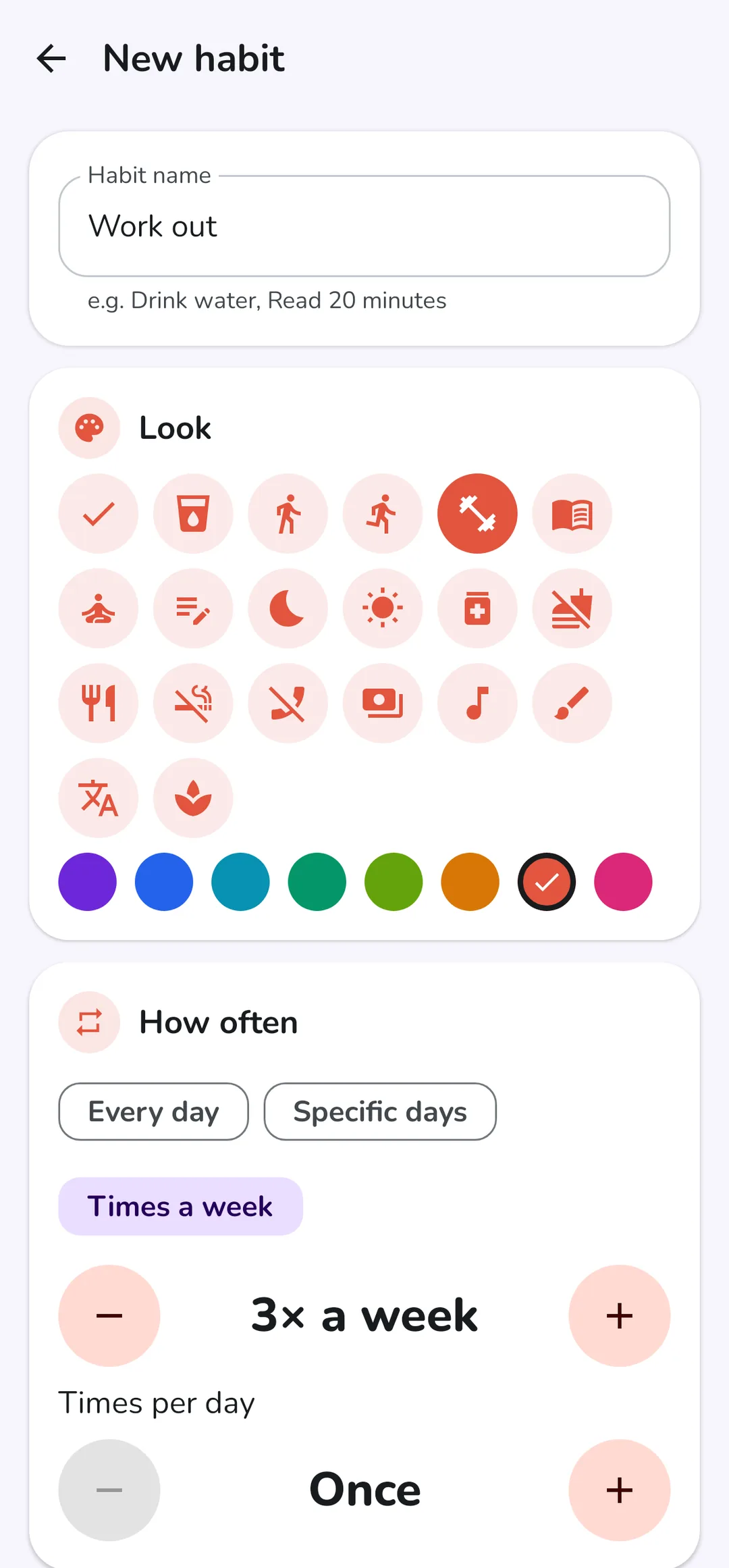
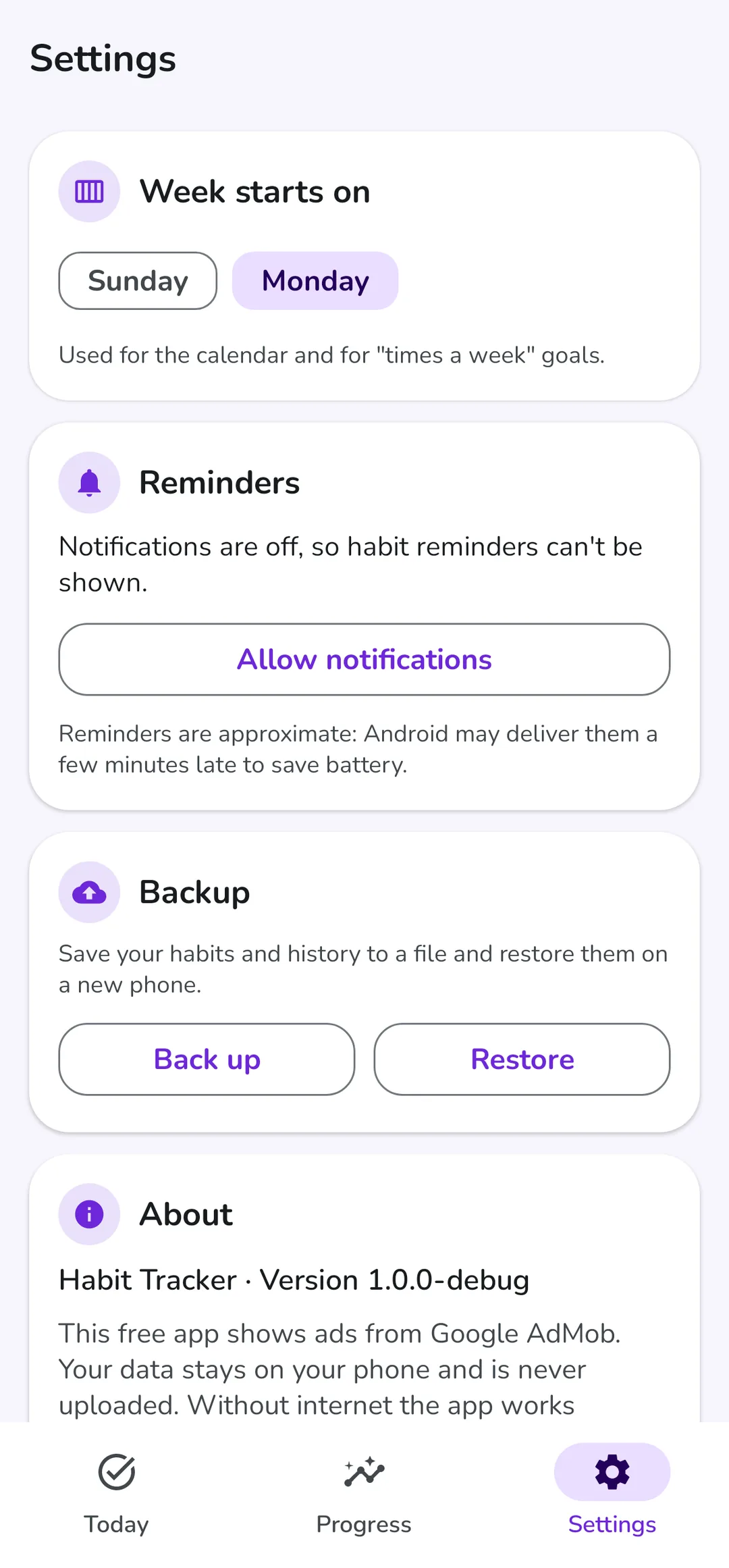
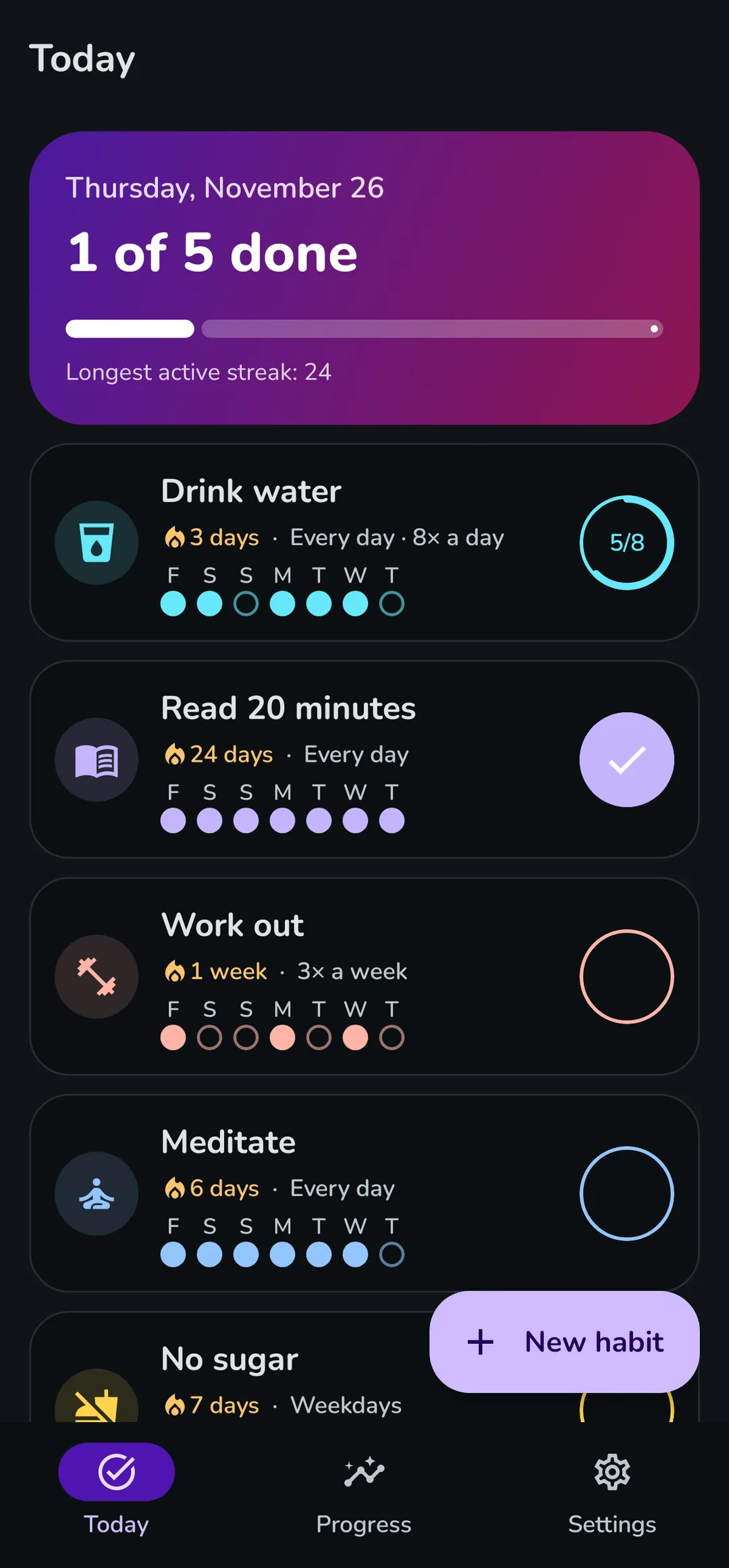
Habit Tracker & Streaks is a simple, private way to build the habits you care about: drinking more water, reading, working out, meditating, going to bed on time or skipping sugar. Tap the circle when you do it, and your streak grows.
Each habit can be due every day, on specific days such as Monday, Wednesday and Friday, or any number of times a week. Habits that count, like eight glasses of water, fill a ring with each tap. The Today screen shows what is left, the last seven days and your current streak in days or weeks.
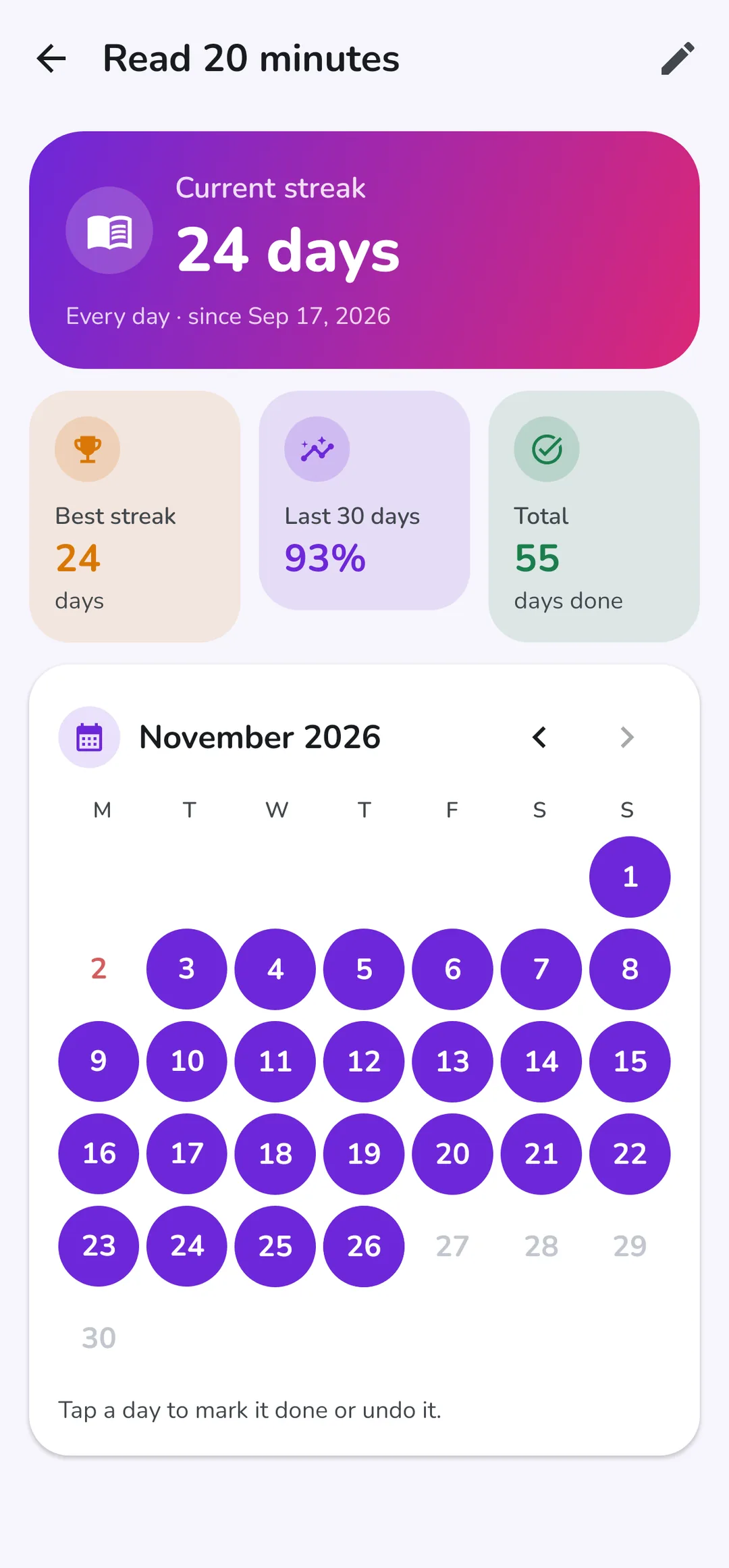
Open a habit to see its current and best streak, 30-day completion rate and a month calendar of every check-in. Tap any day to fill in one you forgot. The Progress tab charts check-ins per week and ranks your habits by how often you stick to them.
Set an optional reminder time on any habit. A notification arrives around that time with a Done button so you can check it off without opening the app. Reminders are approximate to save battery. Back up everything to a file and restore it on a new phone.
Your data stays on your phone: no account, no sign-up, and the tracker works fully offline. The app is free and shows ads from Google AdMob, with a consent form where the law requires one. Ads need internet; without it everything else works normally.
Check that the file you downloaded matches this SHA-256 checksum:
3cf7827241bf6ed748c7d97fc26f0b1b3206f478ebdfe9d84f012f31bdad334fLinux: sha256sum habit-tracker-v1.0.apk
macOS: shasum -a 256 habit-tracker-v1.0.apk
Windows: certutil -hashfile habit-tracker-v1.0.apk SHA256
Signing certificate (SHA-256):
bf2bb9b499827d7337b1144f9726d956923e05e1ddacd3f85cd4c43061bbc146Every update is signed with this same certificate, so Android will refuse an update that was modified by anyone else.
Habit Tracker & Streaks works offline. Your records stay on your phone and are never uploaded. There is no account and no analytics. The app is free because it shows ads from Google AdMob. Ads use the internet when it is available; Google may receive device and network information (such as IP address) to show and measure ads, and where the law requires it the app asks for your consent first. The app does not request the Android advertising ID. You can change your choice in the app under Privacy & ad choices. Any backup or export is a file you create and keep yourself. Read the full apps privacy policy.
Yes. It is free and shows ads from Google AdMob. There are no subscriptions, no premium tier and no limit on habits.
No. Habits are stored only on your phone and the app works offline. Internet is used only for ads.
They count weeks: each week you reach the goal adds one to the streak. You can choose whether weeks start on Sunday or Monday.
Open the habit and tap yesterday on the calendar to mark it done. Today never breaks a streak until the day is over.
The app uses Android's battery-friendly alarms instead of exact alarms, so Android may deliver a reminder a little after the time you set.
Tap Download APK on this page, open the downloaded file and tap Install. If Android asks, allow your browser to install unknown apps for this install. It needs Android 7.0 or newer.
Estimate your LESCO, MEPCO, IESCO or K-Electric bill, track meter readings and get warned before 200 units. Offline, English and Urdu.
Manage a committee / BC / kameti (ROSCA): members, shares, monthly payments, payout turns, draw lots and WhatsApp reminders. Offline, no account.
Record daily expenses and income by category, set a monthly budget, see charts and export CSV. Offline, English and Urdu.
I build offline-first Android, iOS and web apps, in English and Urdu if you need it.