Estimate your LESCO, MEPCO, IESCO or K-Electric bill, track meter readings and get warned before 200 units. Offline, English and Urdu.
v1.0.1 · 3.6 MB · Android 7.0+View app
A shopping list that sorts itself by aisle and shares as a text
Free · Contains ads · No account · Version 1.0.0
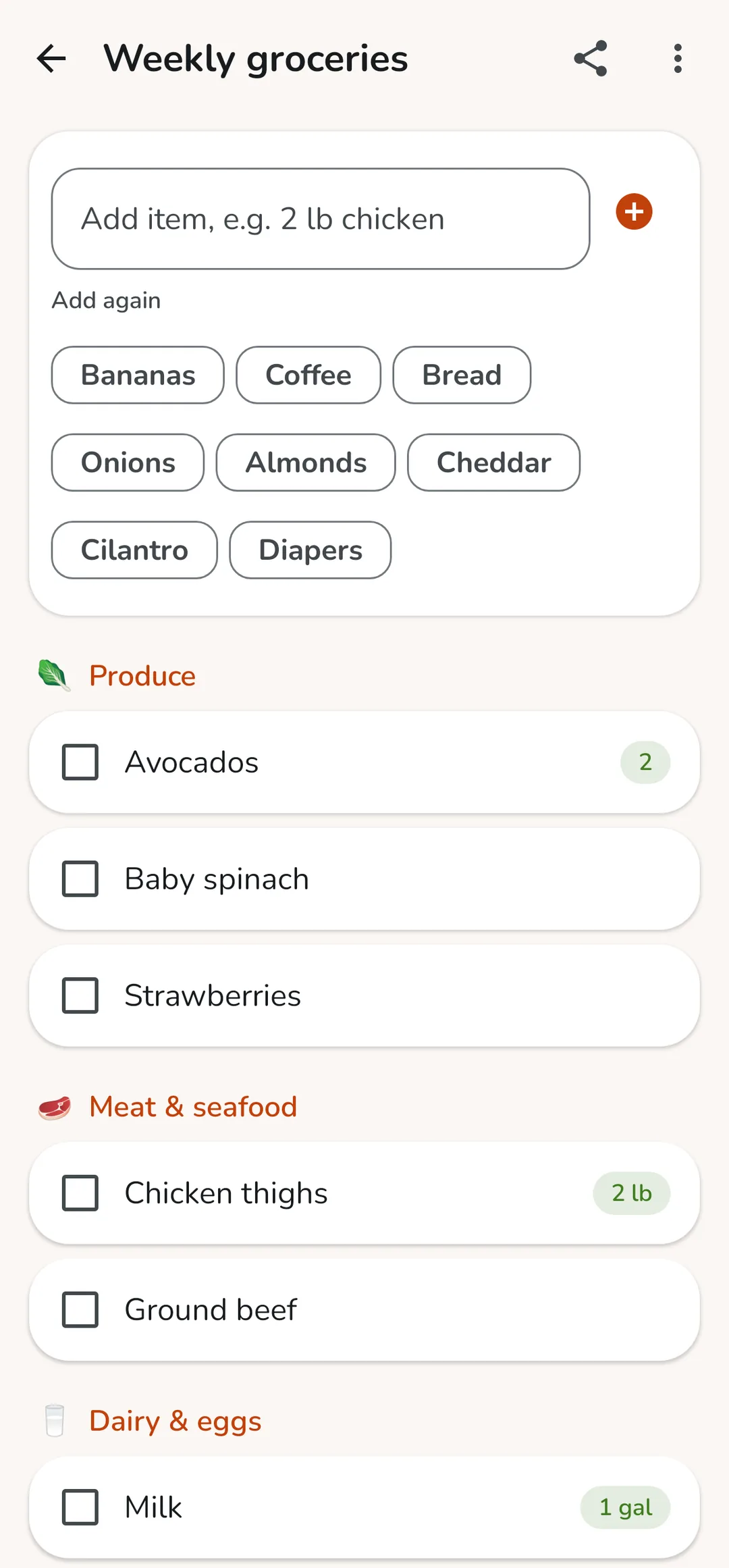
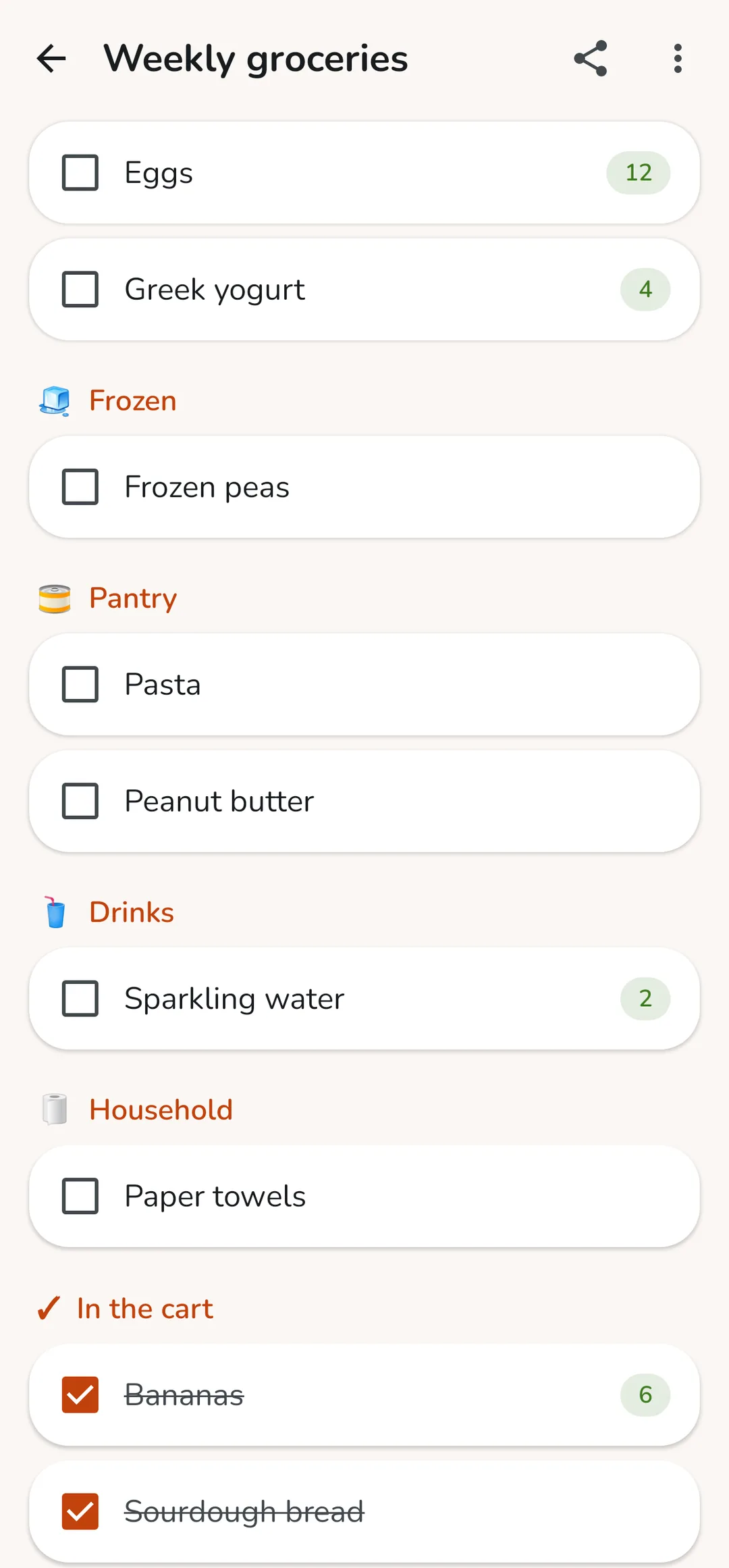
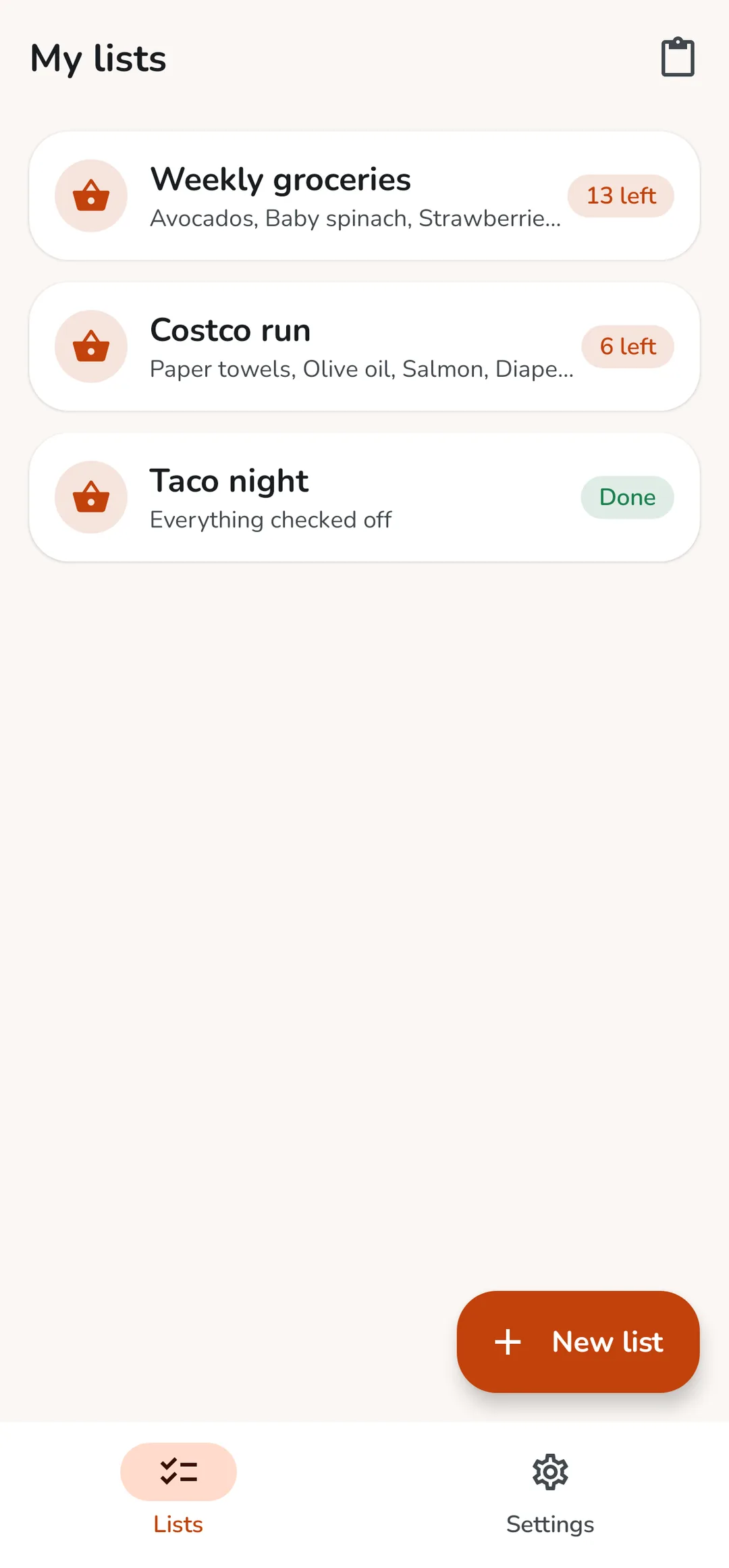
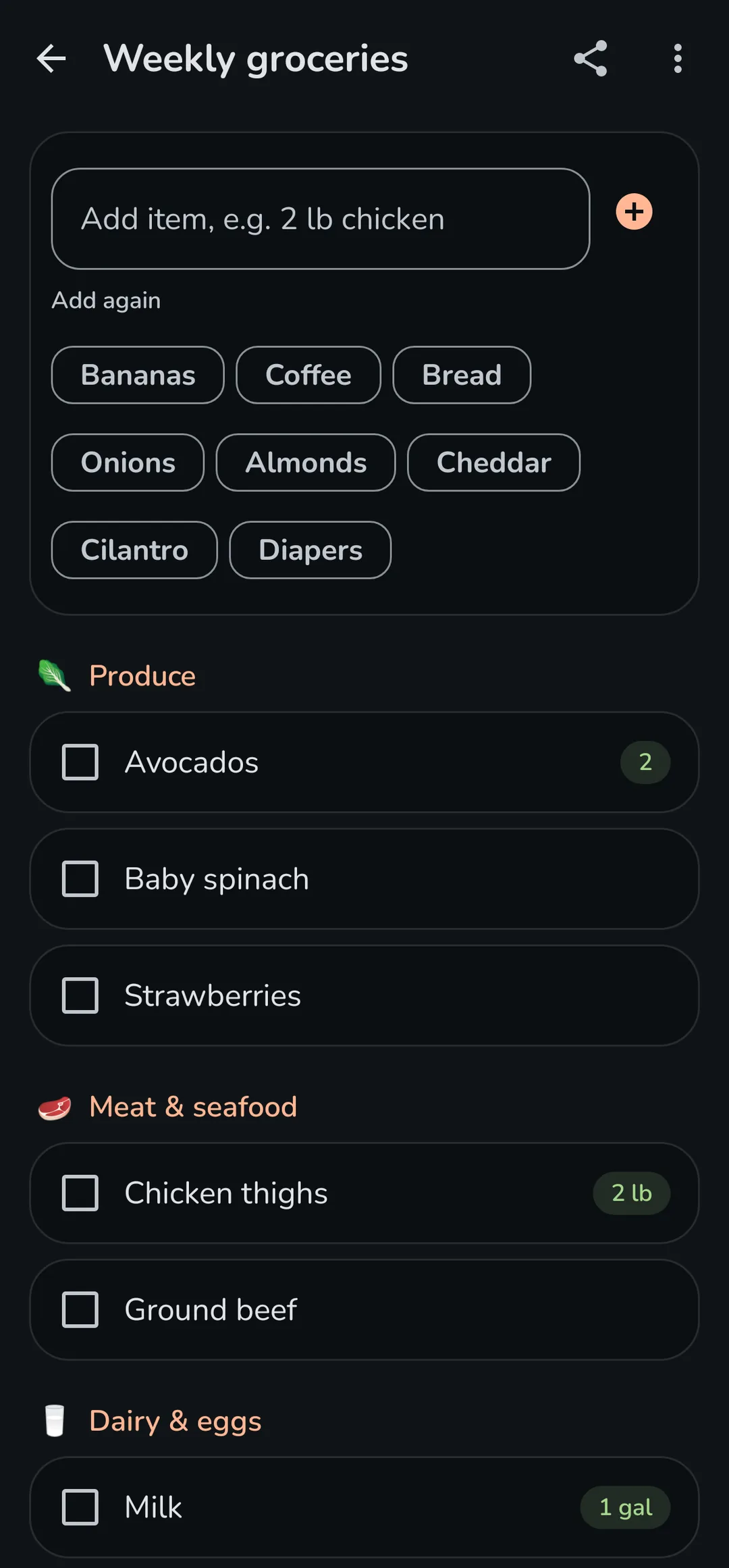
Grocery List is a fast, simple shopping list for the supermarket, Costco, Target or anywhere else. Type an item the way you'd say it, like 2 lb chicken thighs, 1 gal milk or eggs x12, and the app splits out the quantity and files the item under the right section: produce, bakery, meat and seafood, dairy and eggs, frozen, pantry, snacks, drinks, household, personal care, baby or pet.
In the store, your list is grouped in walking order, so you can work through it aisle by aisle. Tap the box to check an item off; it moves down to In the cart. When you're done, remove the checked items in one tap or uncheck them all to reuse the list next week.
Keep as many lists as you need, one per store or occasion. Items you add often appear as Add again suggestions so a weekly shop takes seconds. Tap any item to change its name, quantity or section.
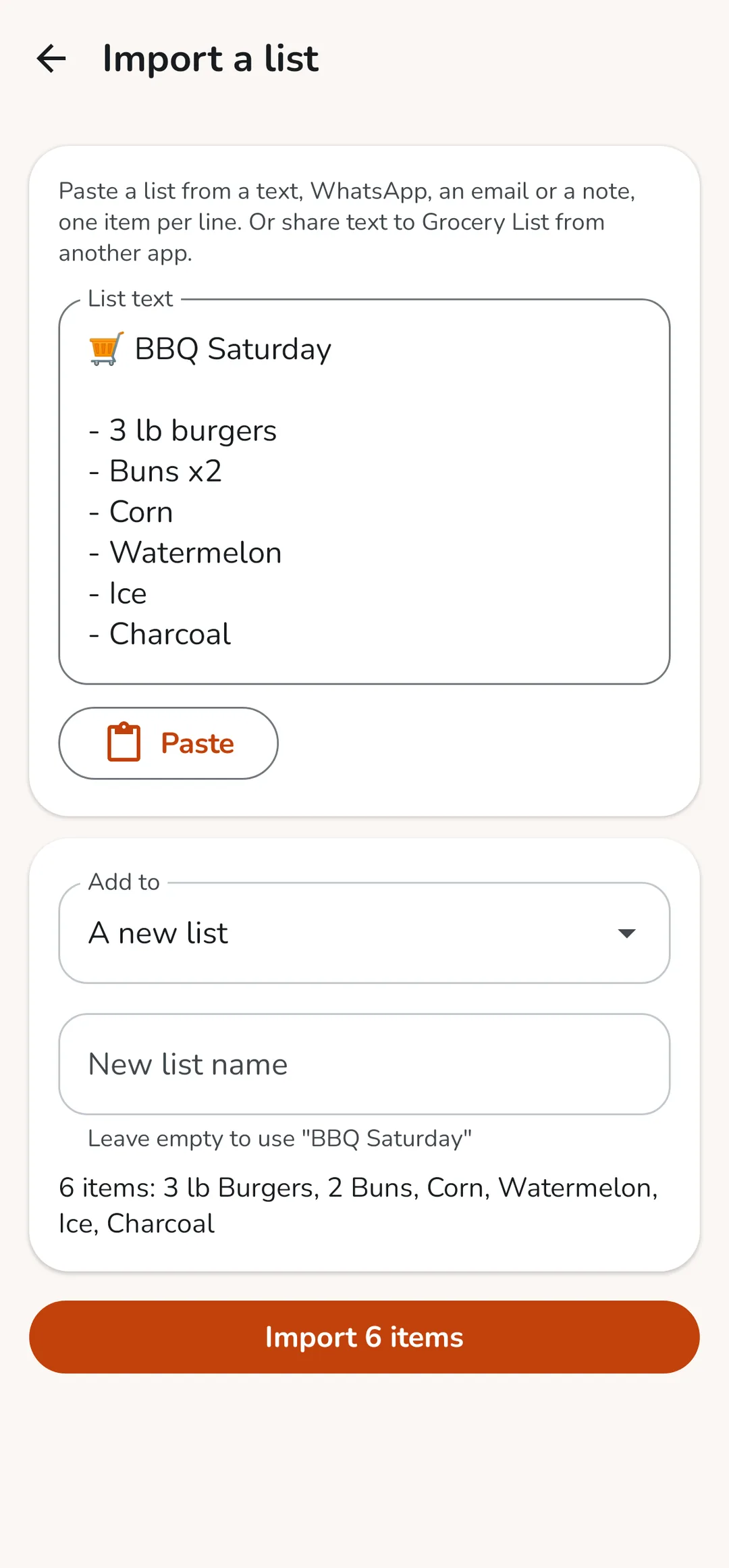
Sharing works with the apps you already use. Share a list as tidy text to Messages, WhatsApp or email, and the person you send it to can read it on any phone. To import, paste a list from a message or note, or share text to Grocery List from another app, and every line becomes an item.
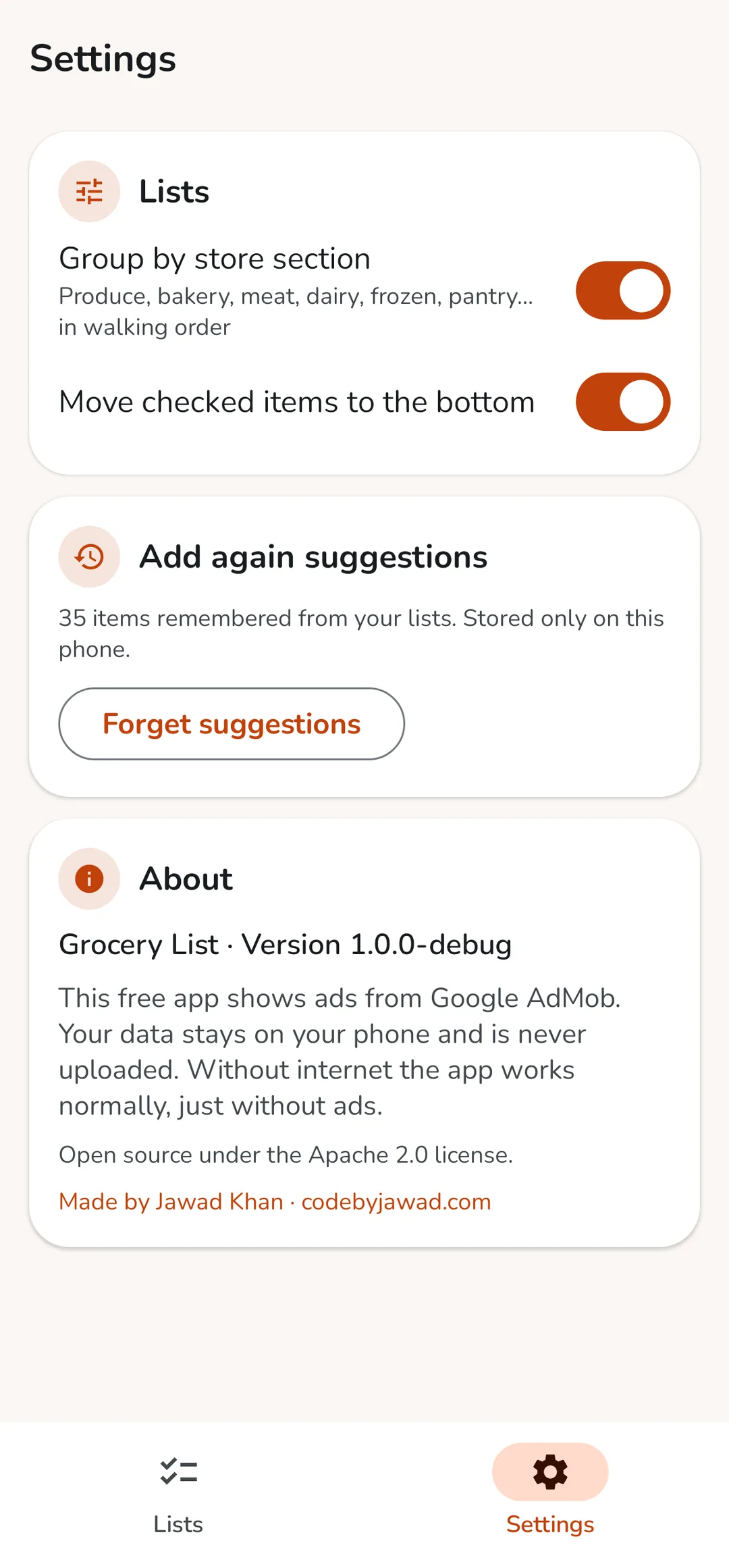
The app is free and shows ads from Google AdMob, with a consent form where the law requires one. It needs no account and works offline; lists stay on your phone. It asks only for internet access and network status, both used for ads.
Check that the file you downloaded matches this SHA-256 checksum:
89b679ff6a0026c240dc3718a074615130b46a7b9fa3e89d3f6947046cd00840Linux: sha256sum grocery-list-v1.0.apk
macOS: shasum -a 256 grocery-list-v1.0.apk
Windows: certutil -hashfile grocery-list-v1.0.apk SHA256
Signing certificate (SHA-256):
95367a766e1b48e1e7804dad5a0f217542b377085e5171141c91664f9f901474Every update is signed with this same certificate, so Android will refuse an update that was modified by anyone else.
Grocery List works offline. Your records stay on your phone and are never uploaded. There is no account and no analytics. The app is free because it shows ads from Google AdMob. Ads use the internet when it is available; Google may receive device and network information (such as IP address) to show and measure ads, and where the law requires it the app asks for your consent first. The app does not request the Android advertising ID. You can change your choice in the app under Privacy & ad choices. Any backup or export is a file you create and keep yourself. Read the full apps privacy policy.
Yes. It is free and shows ads from Google AdMob. There are no subscriptions or in-app purchases.
Open the list and tap Share. Send it by Messages, WhatsApp or email. They can read it as text, or share it to Grocery List on their phone to import it.
No. There is no account or cloud. Lists stay on your phone and you share them as text when you want to.
It matches common grocery words, for example milk to dairy and peanut butter to pantry. You can change any item's section and it stays changed.
Yes. Tap the import button, paste one item per line, and choose a new or existing list. Bullets, checkboxes and quantities are understood.
Yes. Everything works without internet. Internet is only used for ads.
Tap Download APK on this page, open the downloaded file and tap Install. If Android asks, allow your browser to install unknown apps for this install. It needs Android 7.0 or newer.
Estimate your LESCO, MEPCO, IESCO or K-Electric bill, track meter readings and get warned before 200 units. Offline, English and Urdu.
Manage a committee / BC / kameti (ROSCA): members, shares, monthly payments, payout turns, draw lots and WhatsApp reminders. Offline, no account.
Record daily expenses and income by category, set a monthly budget, see charts and export CSV. Offline, English and Urdu.
I build offline-first Android, iOS and web apps, in English and Urdu if you need it.